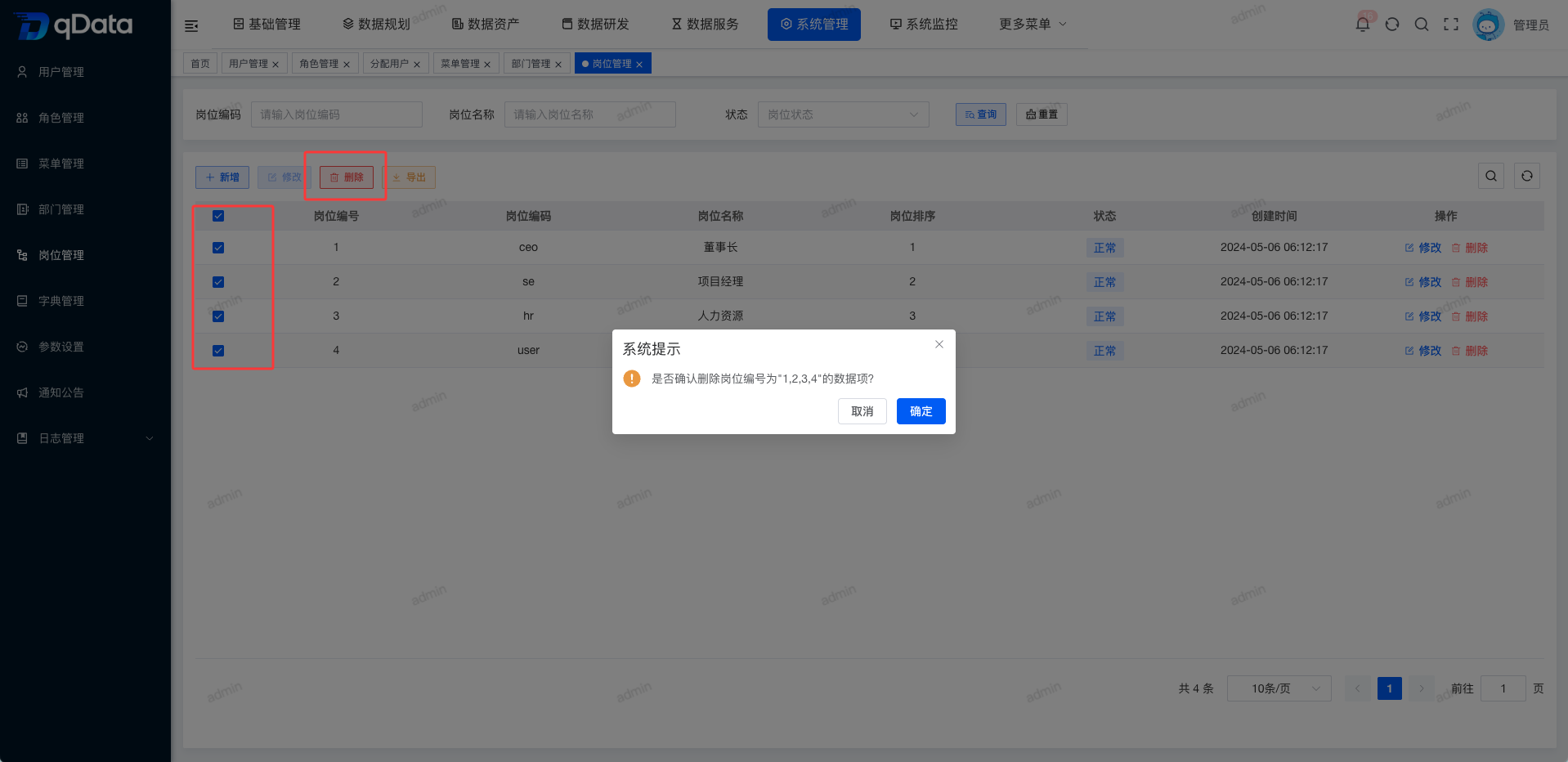
Position Management
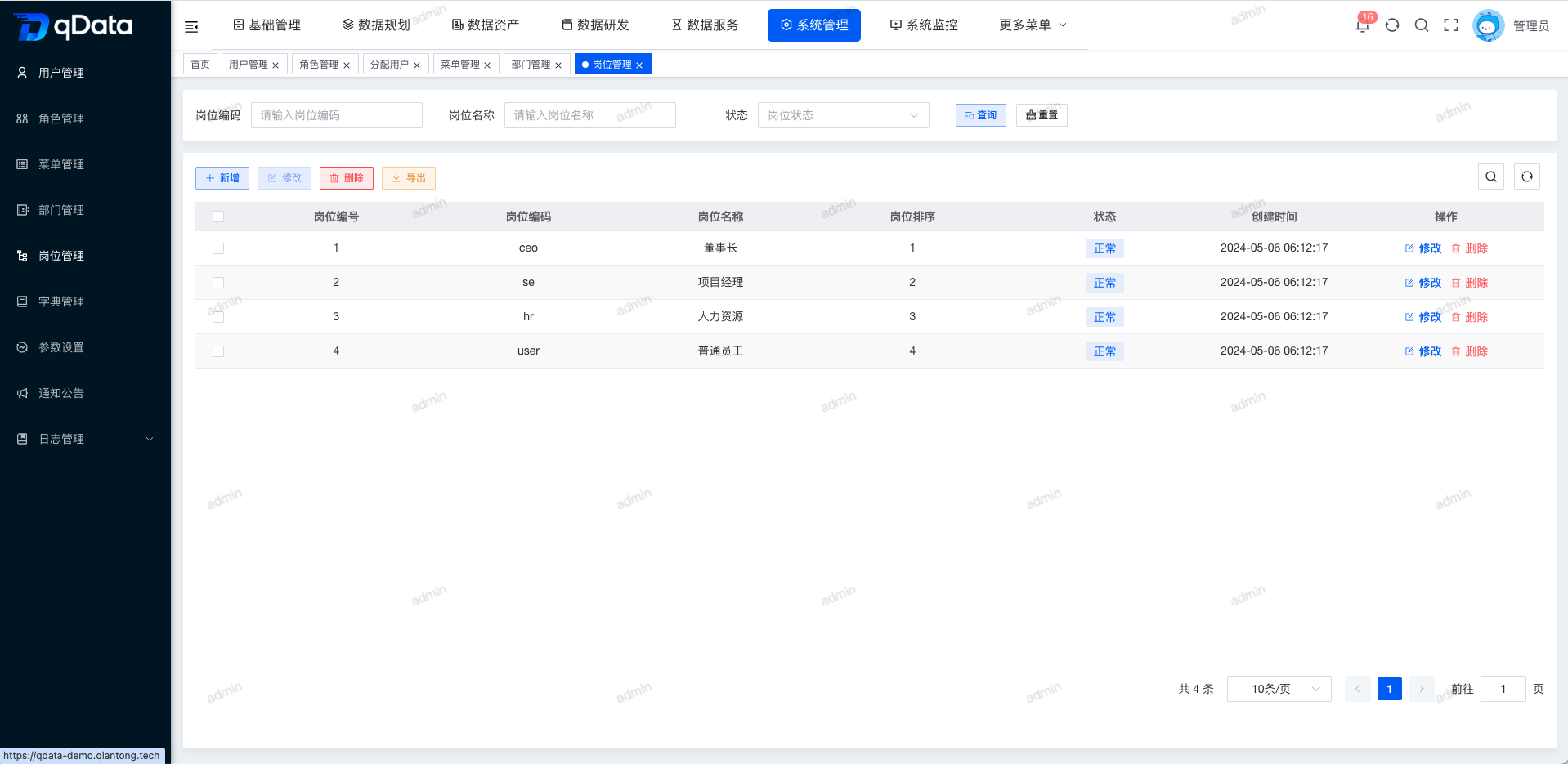
1. Position Management Page
Click Position Management under System Management to open the Position Management page. This page displays a list containing fields such as position ID, position code, position name, position sort order, status, and creation time.
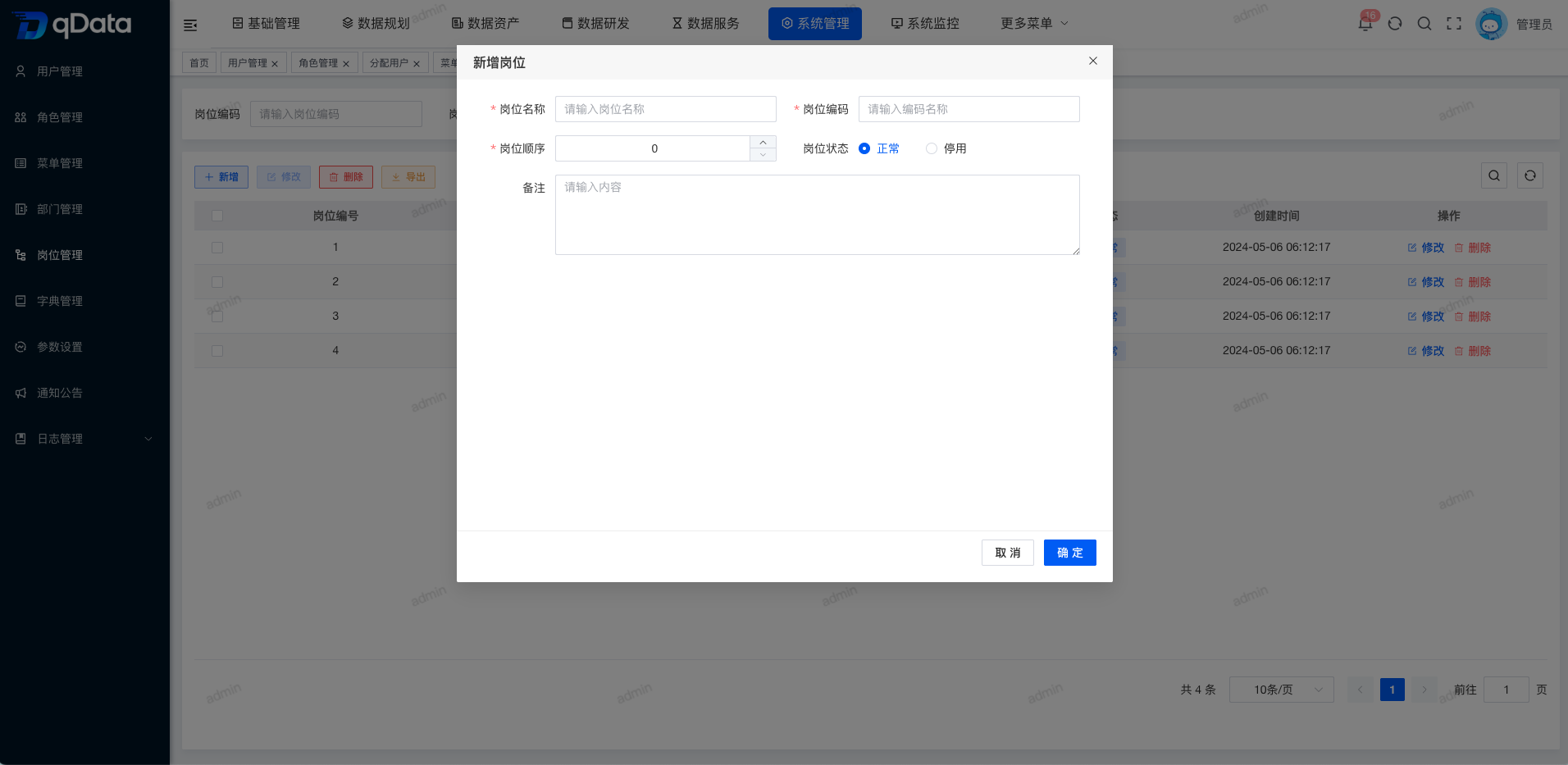
2. Add Position Information
Click the Add button on the page, fill in the position information in the dialog, and click OK to complete adding the position information.
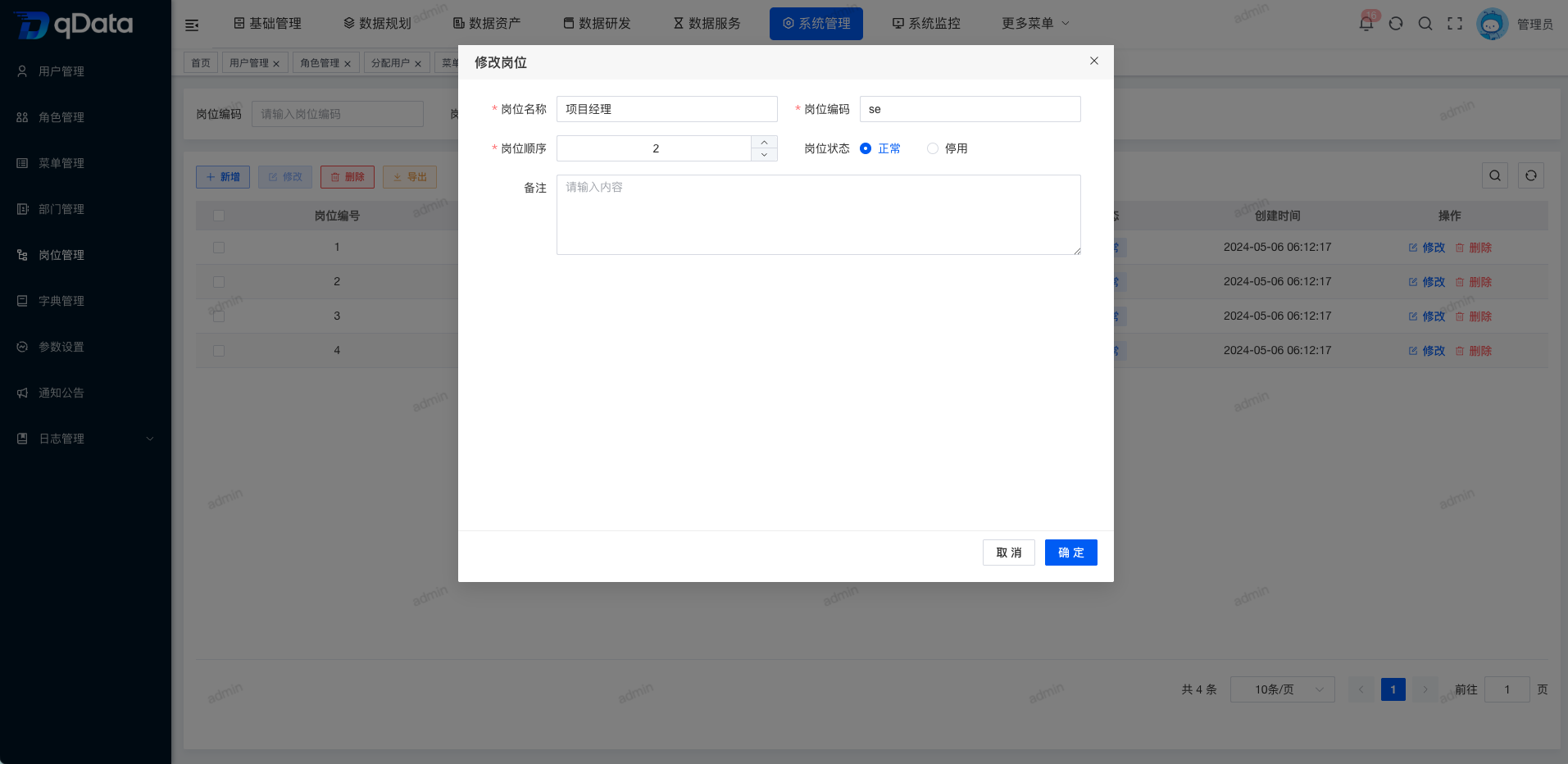
3. Edit Position Information
Select the position information to edit, click Edit in the operation column, modify the existing position information in the dialog, and click OK to complete editing the position information.
4. Delete Position Information
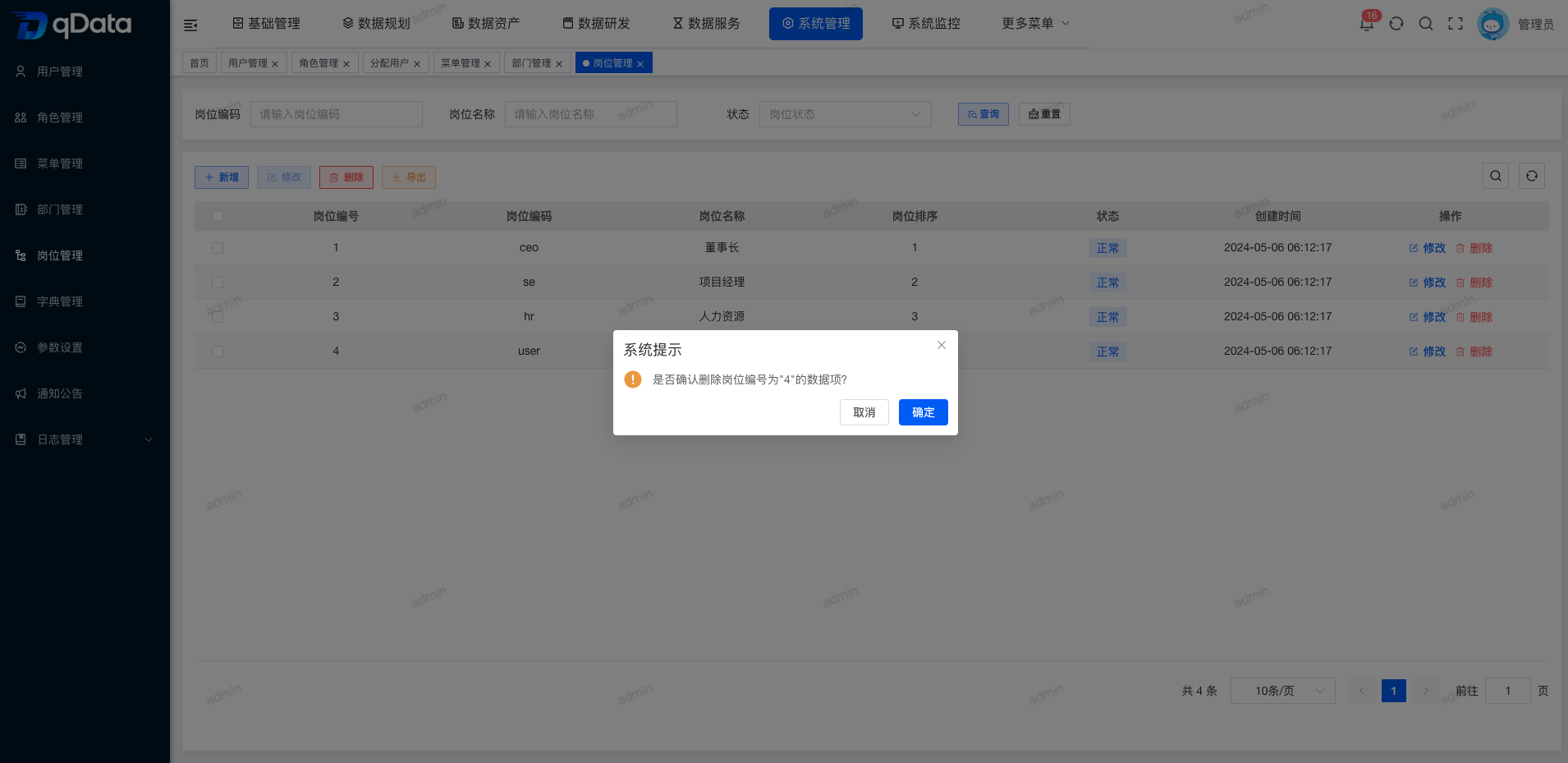
Select the position information to delete, click Delete in the operation column, and click OK. The system will delete the position information.
5. Batch Delete Position Information
Select multiple position checkboxes in the page list, click Delete, confirm the deletion in the dialog, and click OK to complete batch deletion of positions.