Topic Management
Definition
This module is used to maintain the business topic system. It supports adding, editing, deleting, and querying topics. Topics can be used as one of the asset grouping dimensions for subsequent topic tagging and grouped management of Data Assets.
Notes
The topic system is recommended to be planned uniformly by the Data Governance team during the early platform stage. Keep topic granularity moderate and semantics clear to avoid management confusion caused by frequent adjustments.
Scope
You can use the
Asset MapandProject Assetsmodules to tag related Data Assets with corresponding topics, improving data classification and traceability capabilities.
1. Topic Management Page
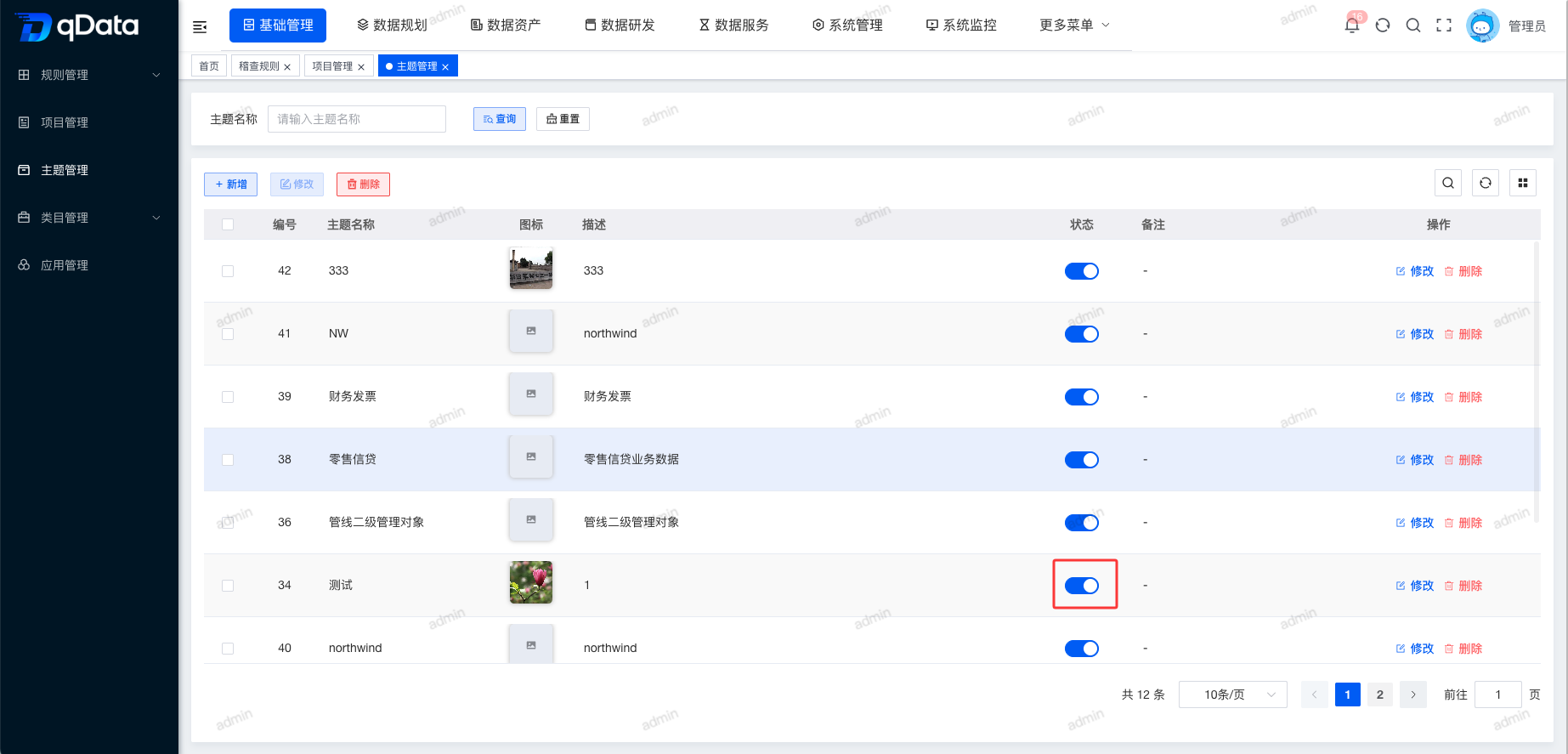
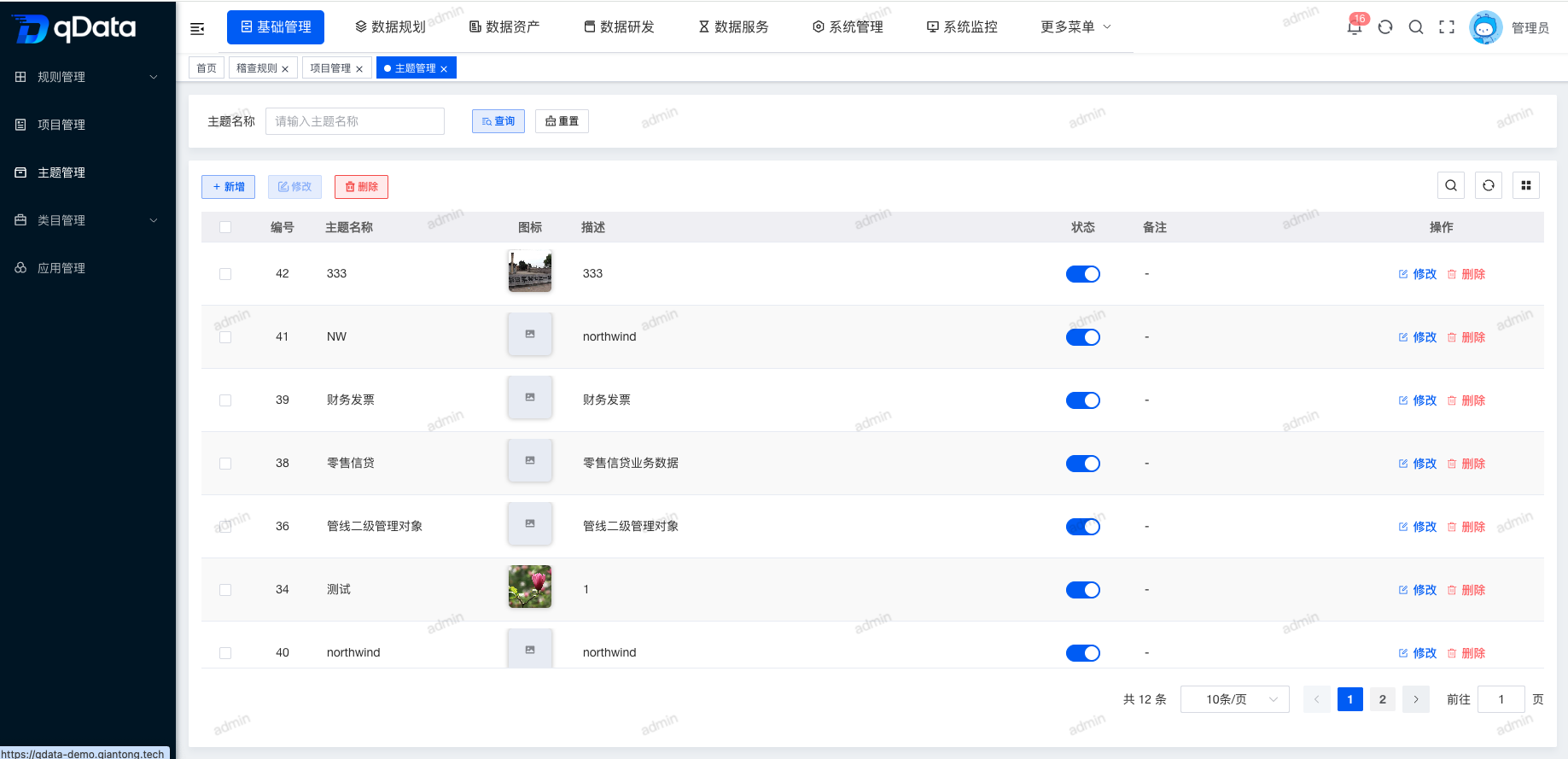
Click Topic Management under Basic Management to open the Topic Management page. The page displays a list of fields including ID, topic name, icon, description, status, and remarks.
2. Add Topic
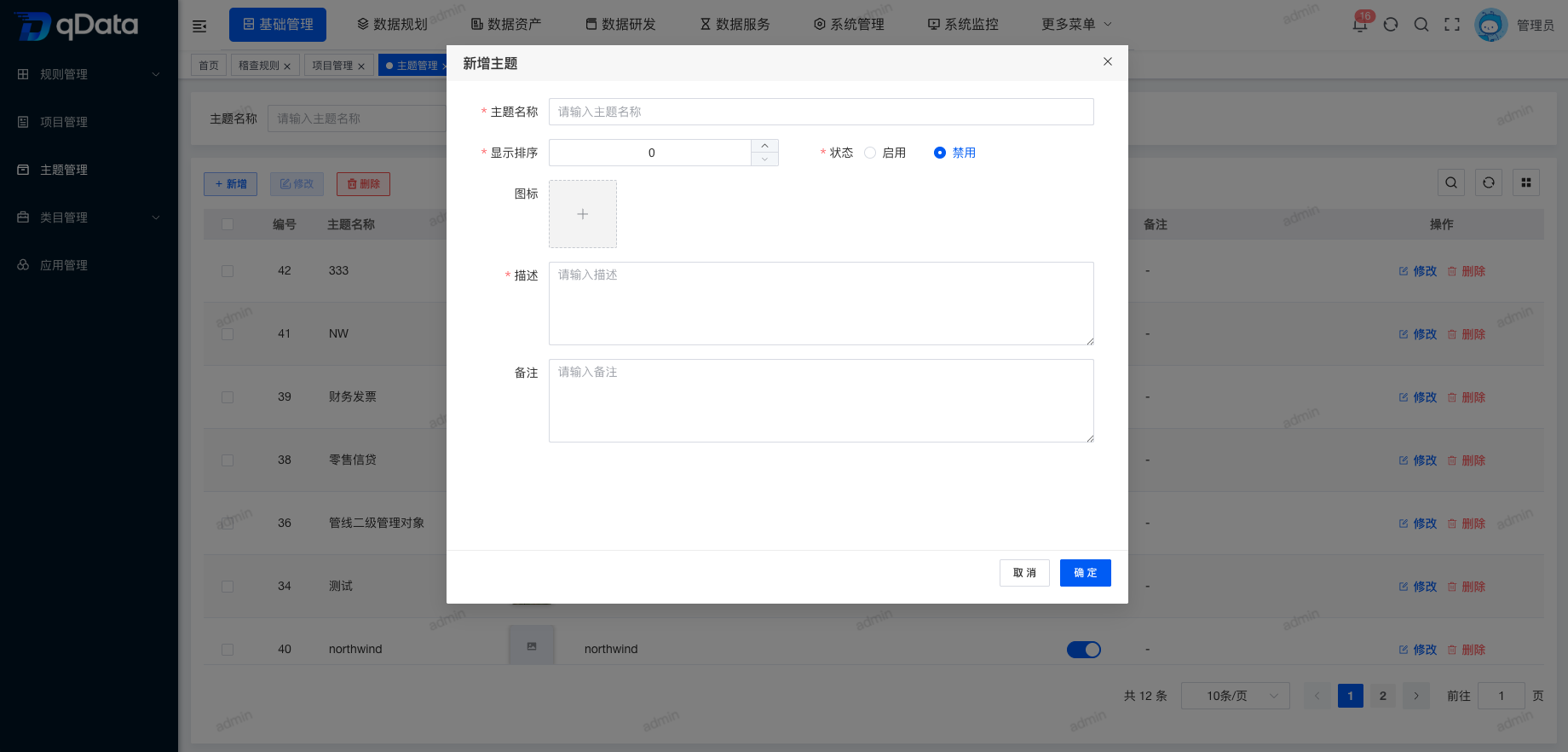
Click Add, fill in topic information in the dialog, and click OK to complete adding topic information.
3. Edit Topic
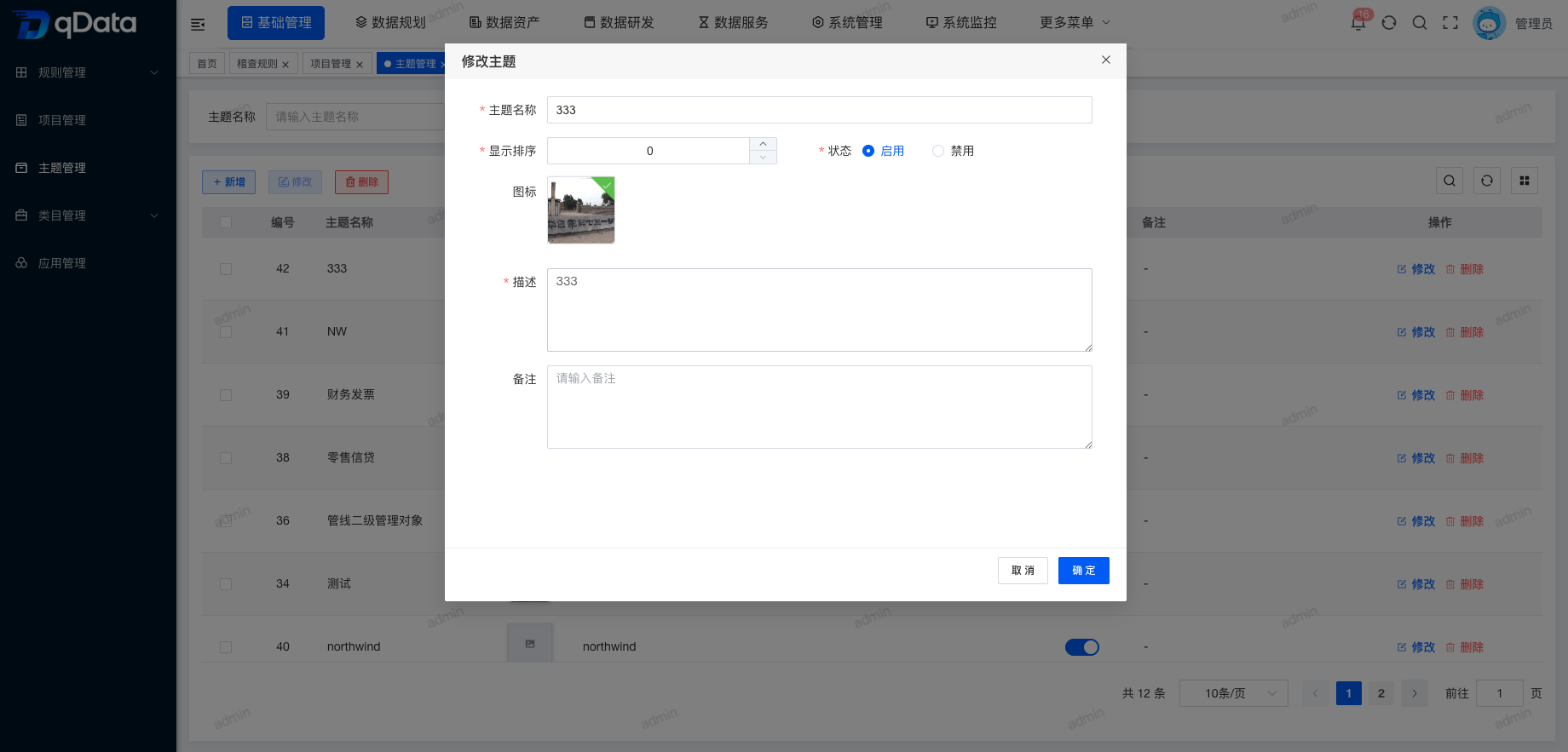
Select the topic information to edit, click Edit in the operation column, edit the existing topic information in the dialog, and click OK to complete editing.
4. Delete Topic
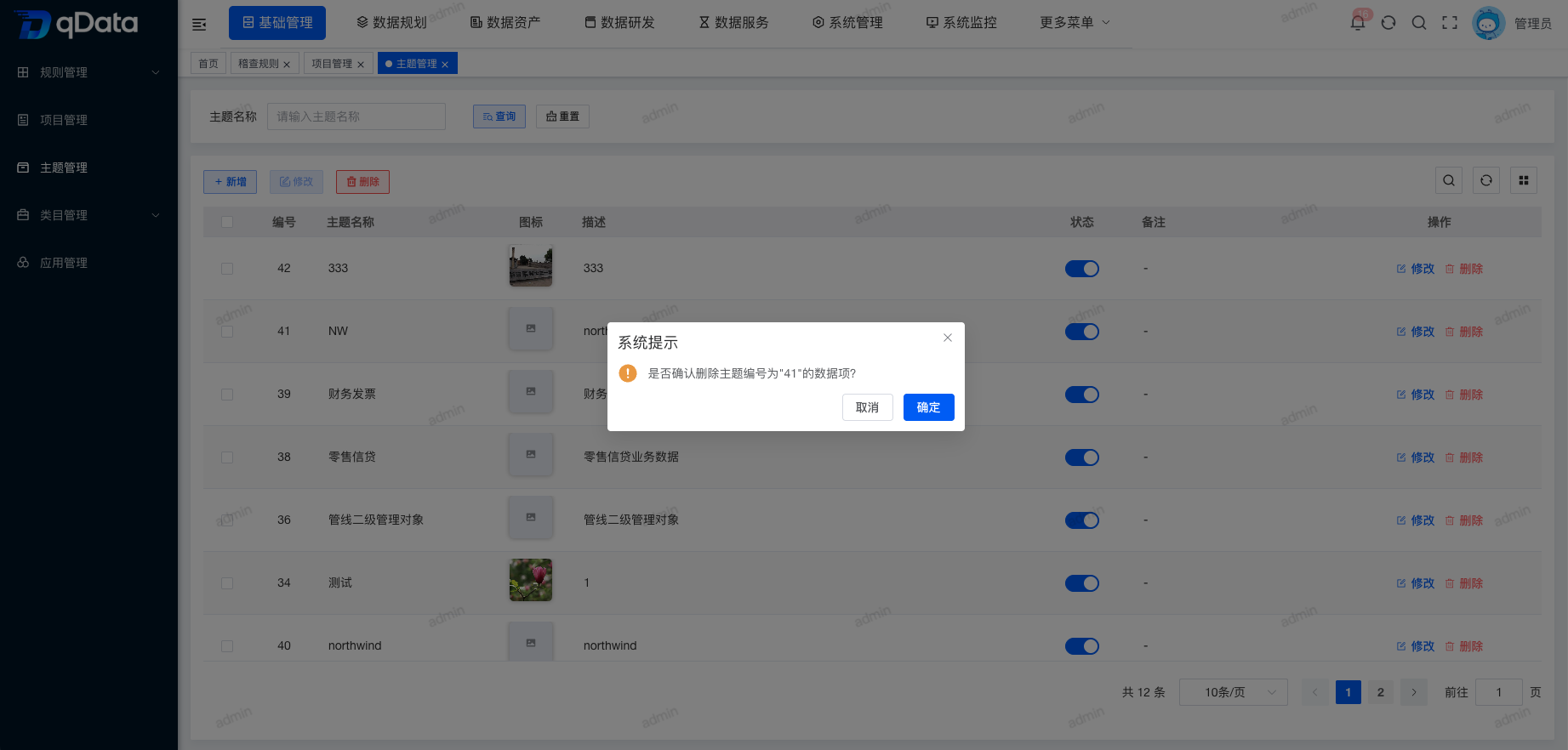
Select the topic information to delete, click Delete in the operation column, and click OK. The system will delete the topic information.
5. Bulk Delete Topics
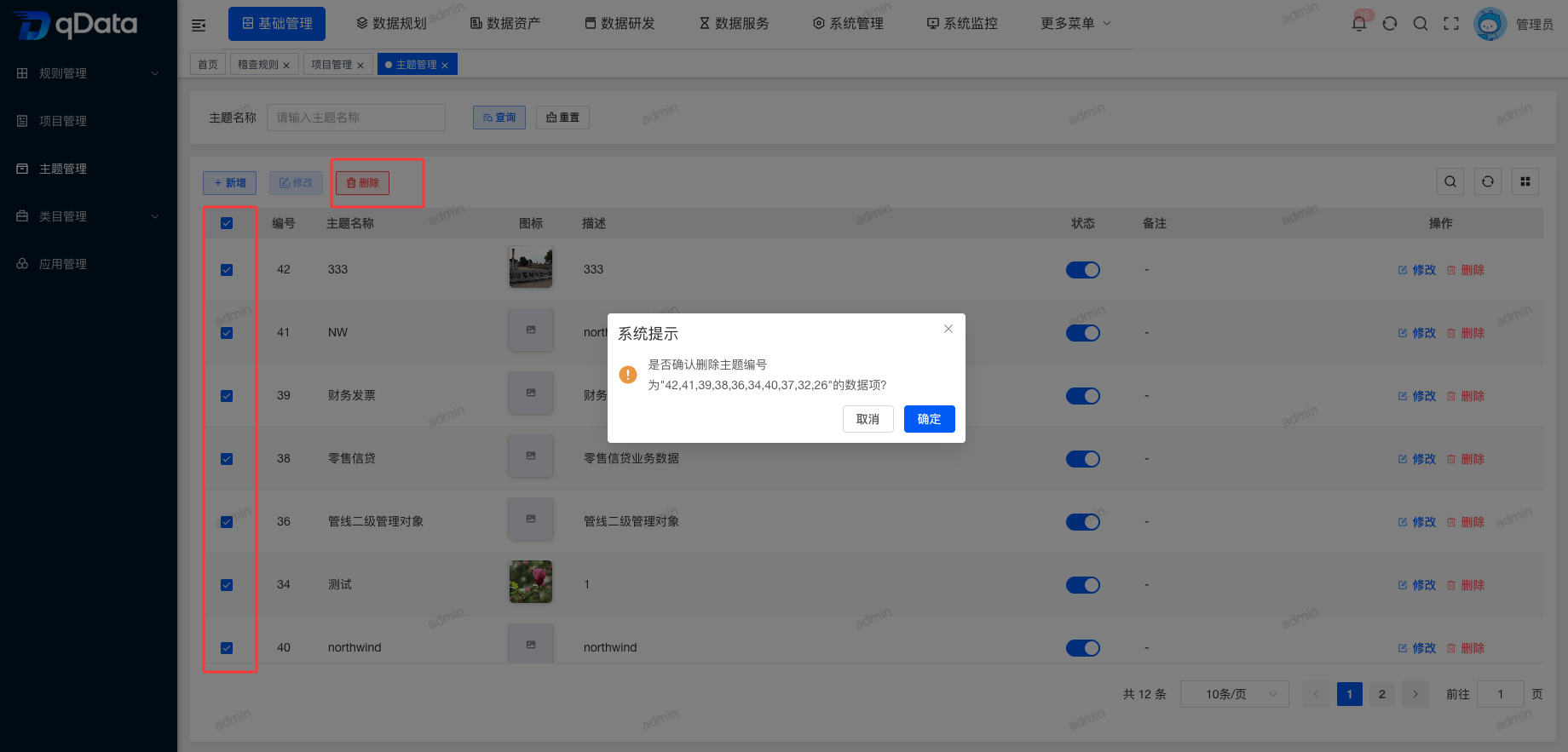
Select multiple topic checkboxes in the page list, click Delete, confirm deletion in the dialog, and click OK to complete bulk deletion of topics.
6. Enable/Disable
Select the topic information to enable or disable and click the switch in the status column to complete enable/disable.