Application Management
Definition
This module is used to register and manage applications that connect to the platform. It supports creating applications and generating exclusive secrets. The secret mechanism controls third-party system access permissions to platform APIs and ensures the security of service calls.
Users can configure information such as name, type, public status, and access path for each application. The platform generates a unique application secret. When using APIs, the secret must be used to obtain an authorization Token before controlled Data Services can be accessed.
Notes
Platform API access must use a valid application Token. Keep application secrets secure to avoid security risks caused by leakage.
Scope
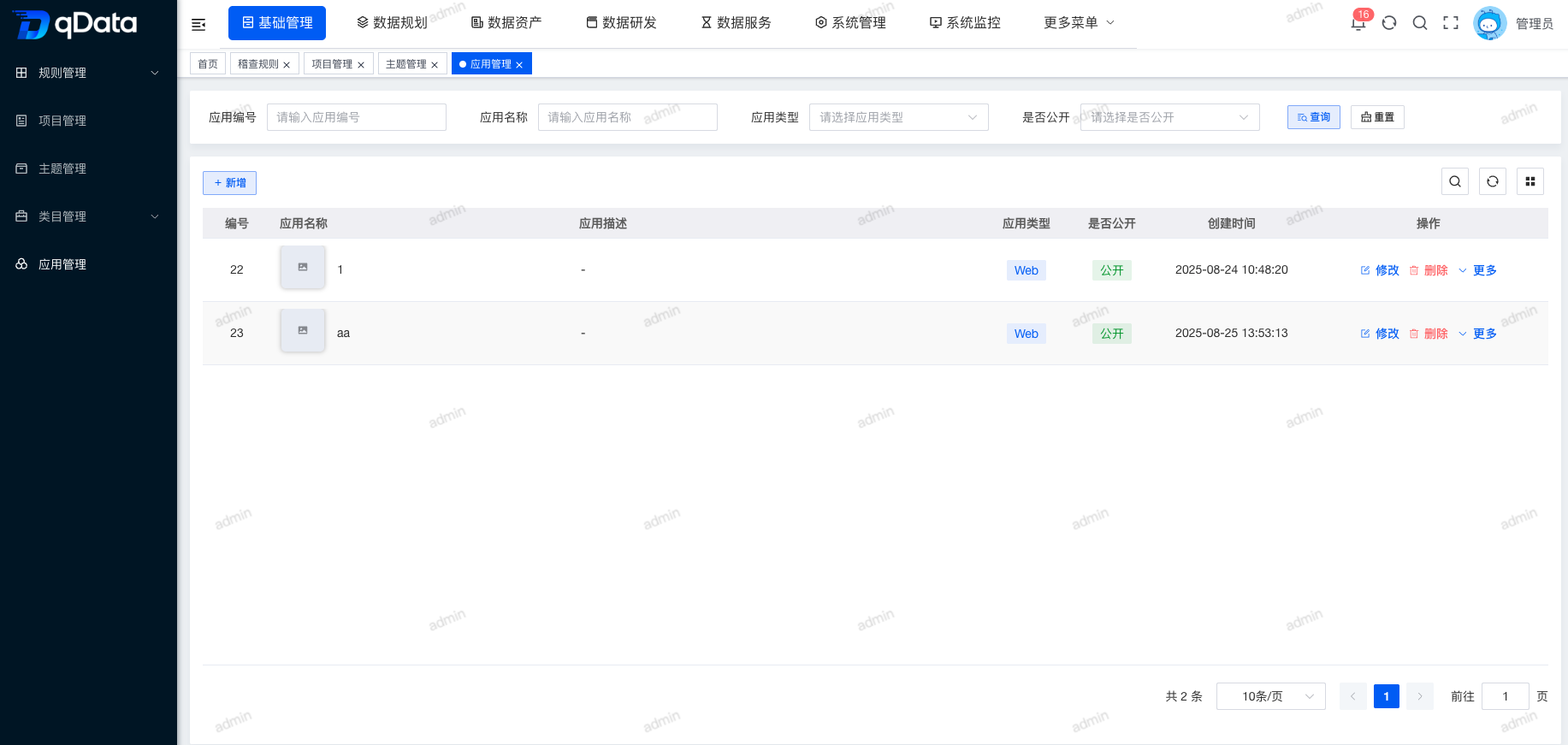
1. Application Management Page
Click Application Management under Basic Management to open the Application Management page. The page displays a list of fields including ID, application name, icon, description, status, and remarks.
2. Add Application
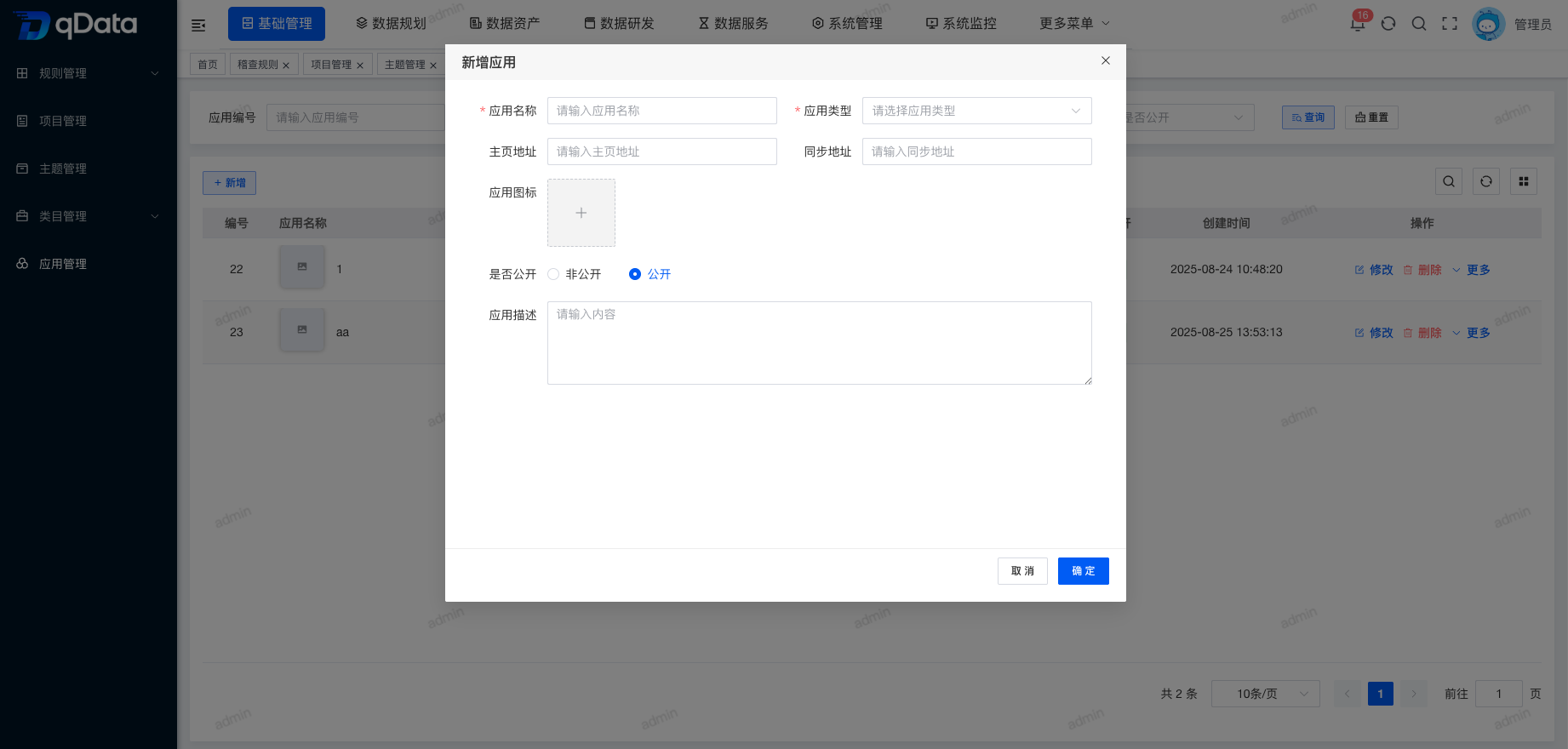
Click Add, fill in the application information in the dialog, and click OK to complete adding the application information.
3. Edit Application
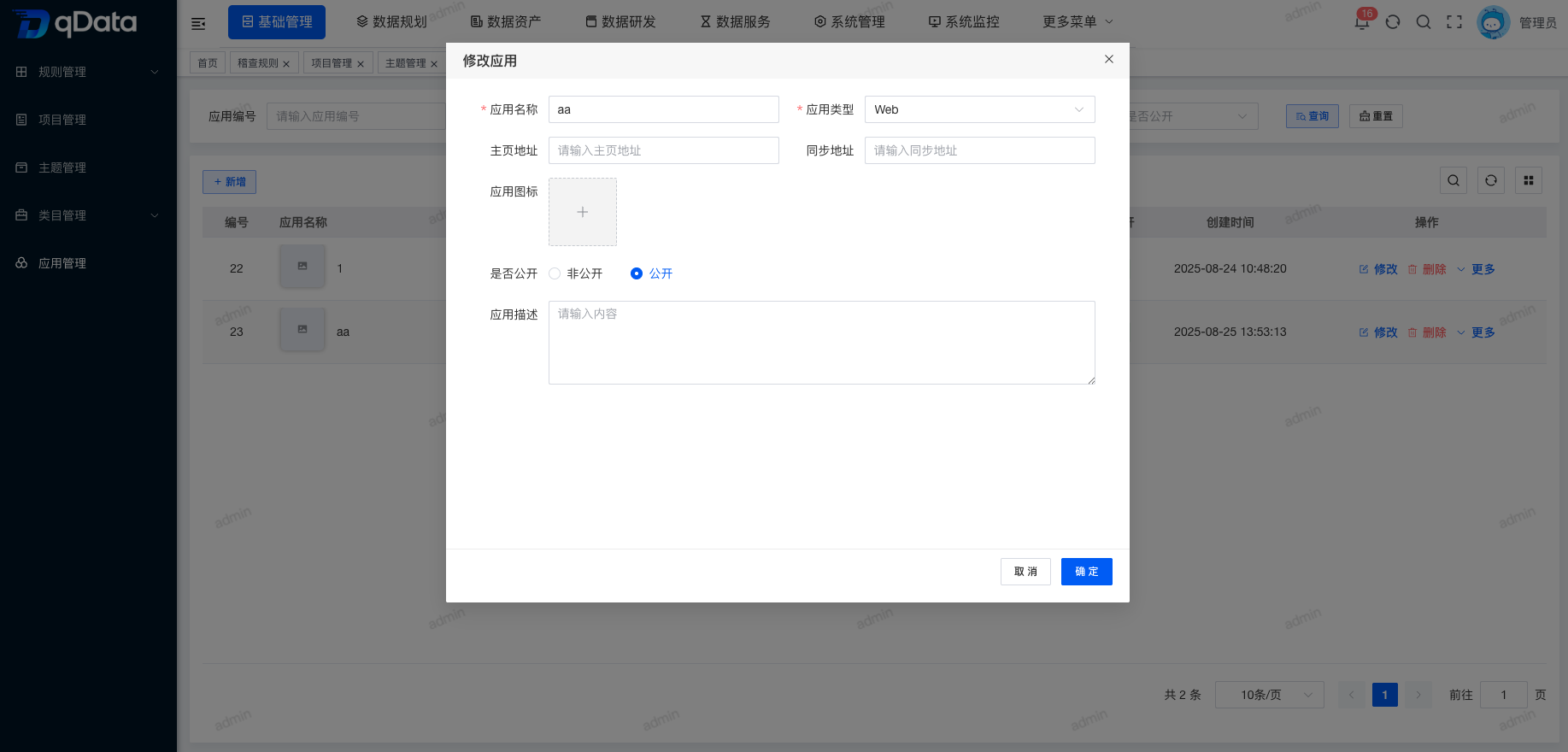
Select the application information to edit, click Edit in the operation column, edit the existing application information in the dialog, and click OK to complete editing the application information.
4. Delete Application
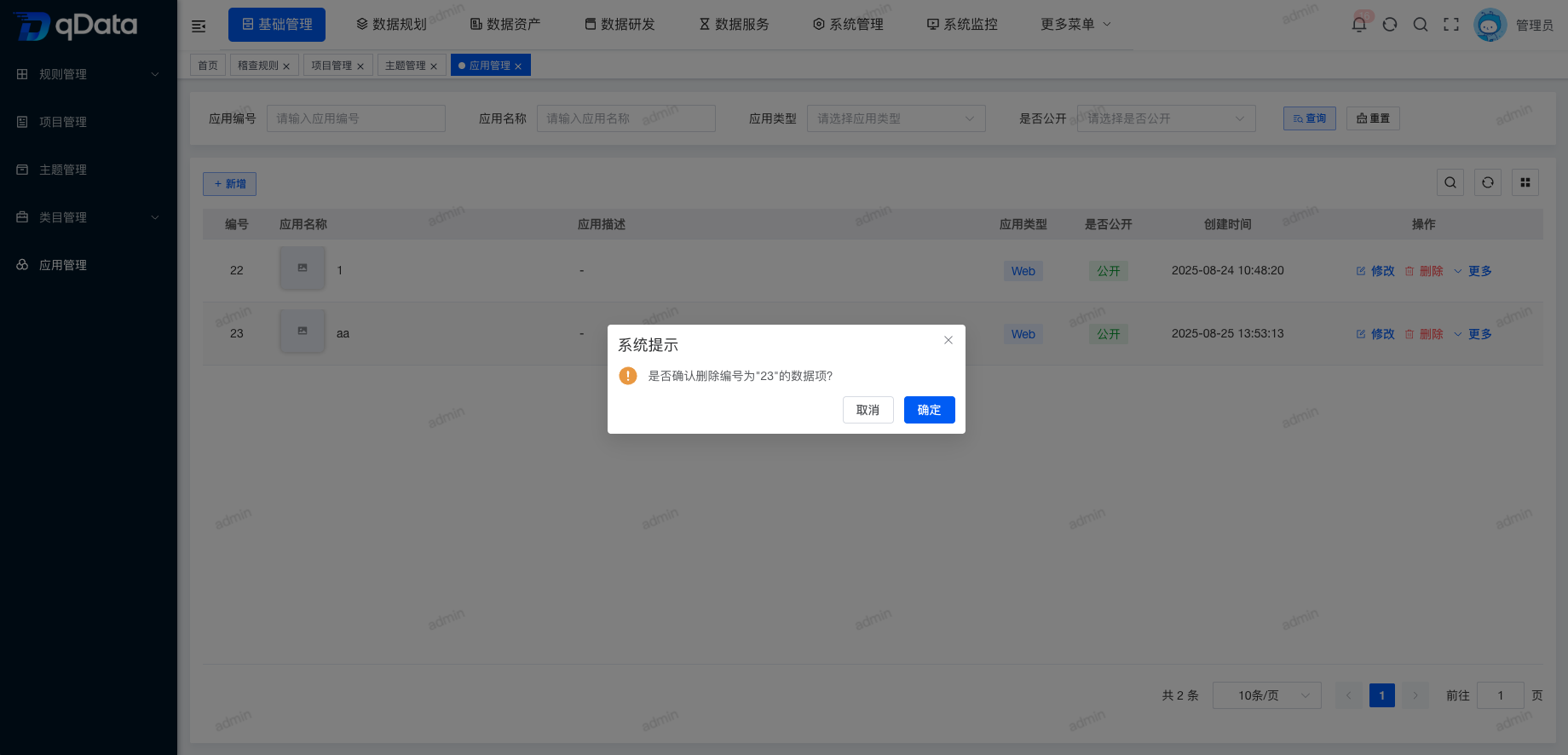
Select the application information to delete, click Delete in the operation column, and click OK. The system will delete the application information.
5. Reset Secret
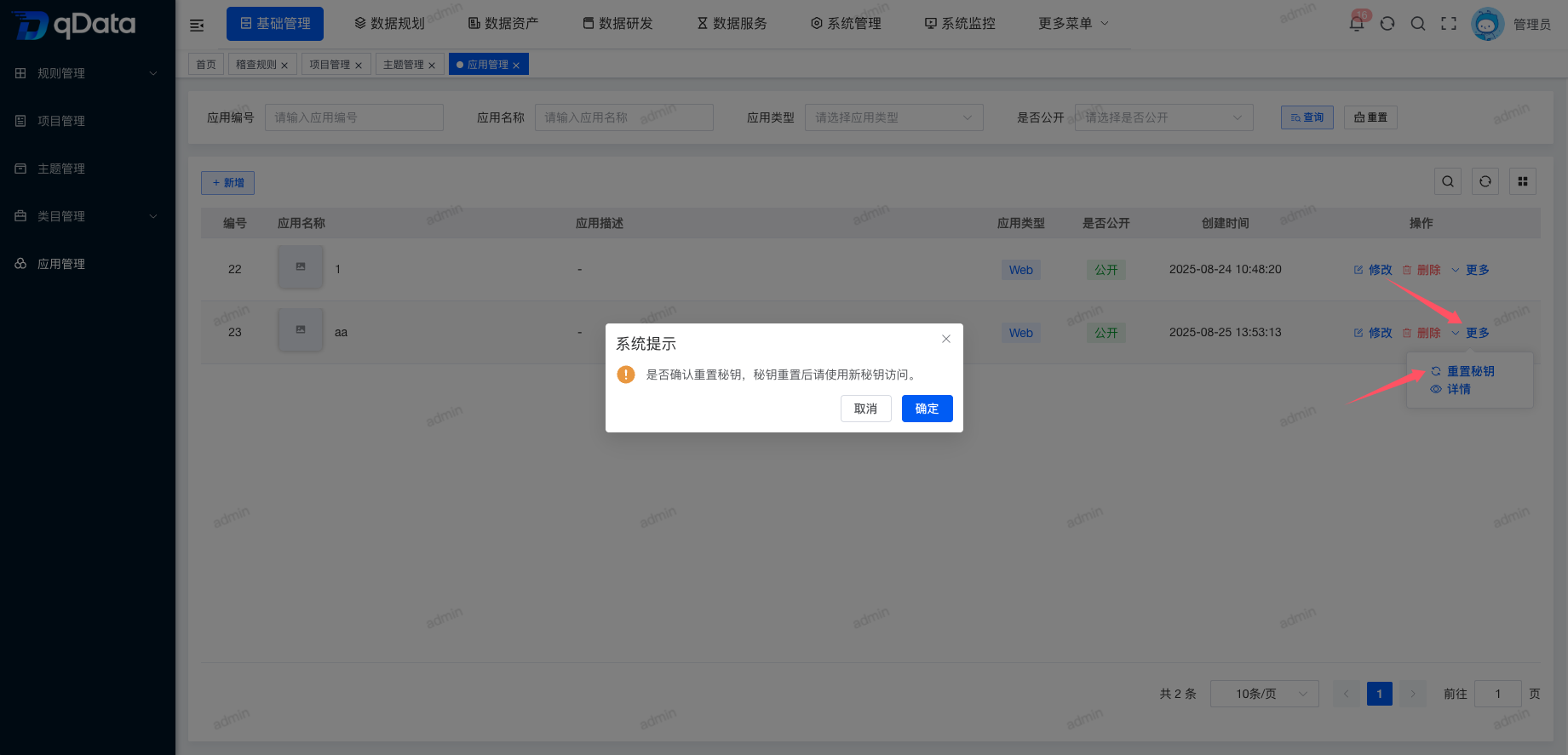
In the application list, select the target application, click More → Reset Secret, and click OK to complete secret reset.
6. Application Information Details
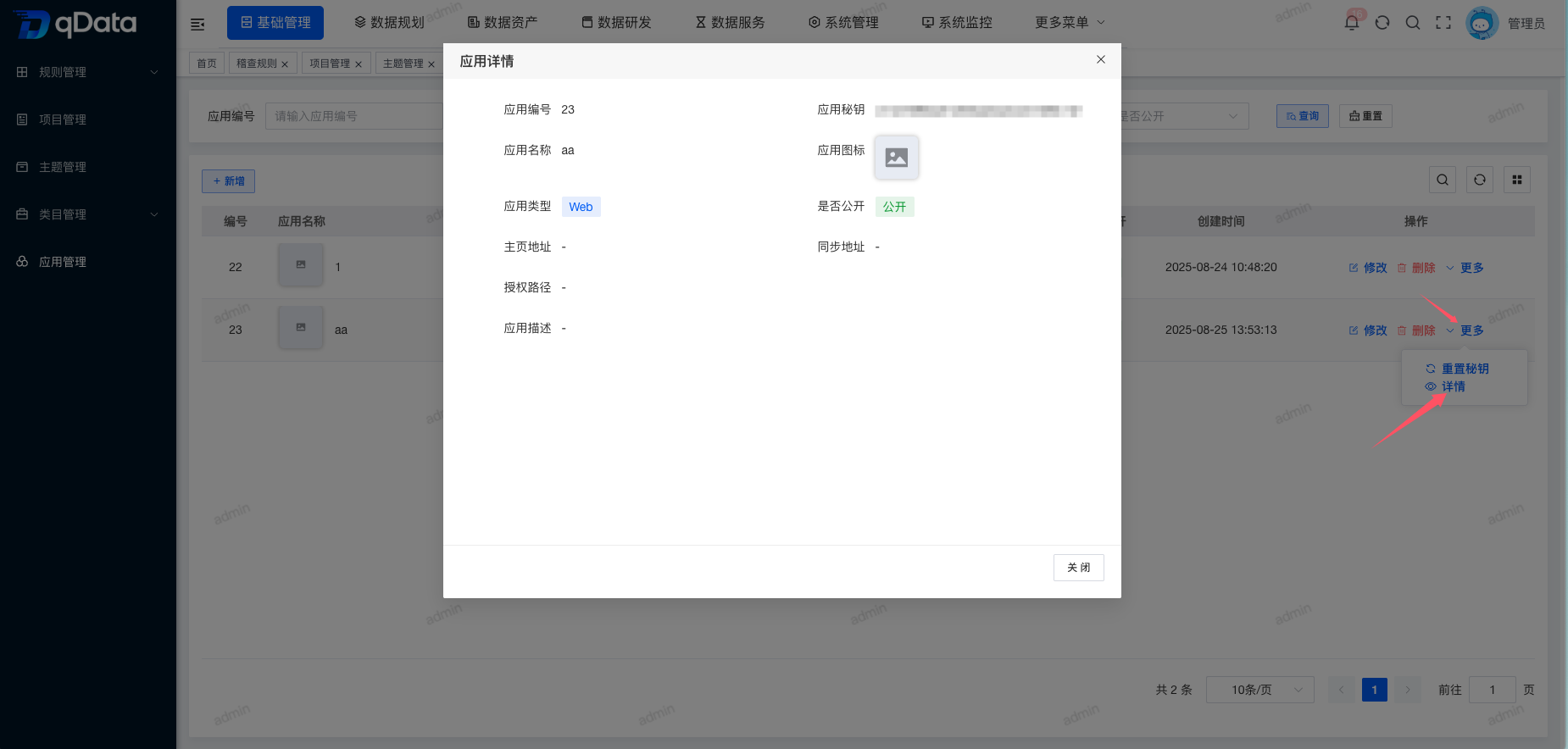
In the application list, select the target application and click More → Details to view application information details.