
Standard Code Table
Feature Overview
Functional Positioning
Standard Data Element is used to centrally maintain field-level data definitions, including field name, type, category, status, and description, while distinguishing ordinary data elements from code tables. The details page can also show code dictionaries and code mappings, or associate cleaning rules and audit rules with data elements.
In short: define commonly used fields as unified standards first. Maintain enumeration values as code tables, and associate cleaning or audit rules when data processing is required.
Usage Tips
Before adding a record, first determine whether the object is a data element or a code table. For data elements, focus on field type and English name. For code tables, also verify the code dictionary and code mapping.
Main Features
- Unified search and maintenance: Query, add, or modify standard data elements by category, Chinese name, English name, and type.
- Two detail structures: Code tables provide code dictionary and code mapping; data elements provide entries for cleaning rule and audit rule association.
- Rule association: Select rules from the cleaning rule library, configure parameters such as numeric boundaries, and view association results.
Scope
This page covers standard data element query, list, add, modify, status, and details, as well as code dictionary, code mapping, cleaning rule association, and audit rule entries.
Prerequisites
Preconditions
- You have logged in to the qData platform.
- You have entered the Data Modeling module.
- Standard data element categories have been maintained.
- Related standard materials and rule libraries are available when associating standards or rules.
Navigation Path
Data Modeling > Standard Data Element
Page Overview
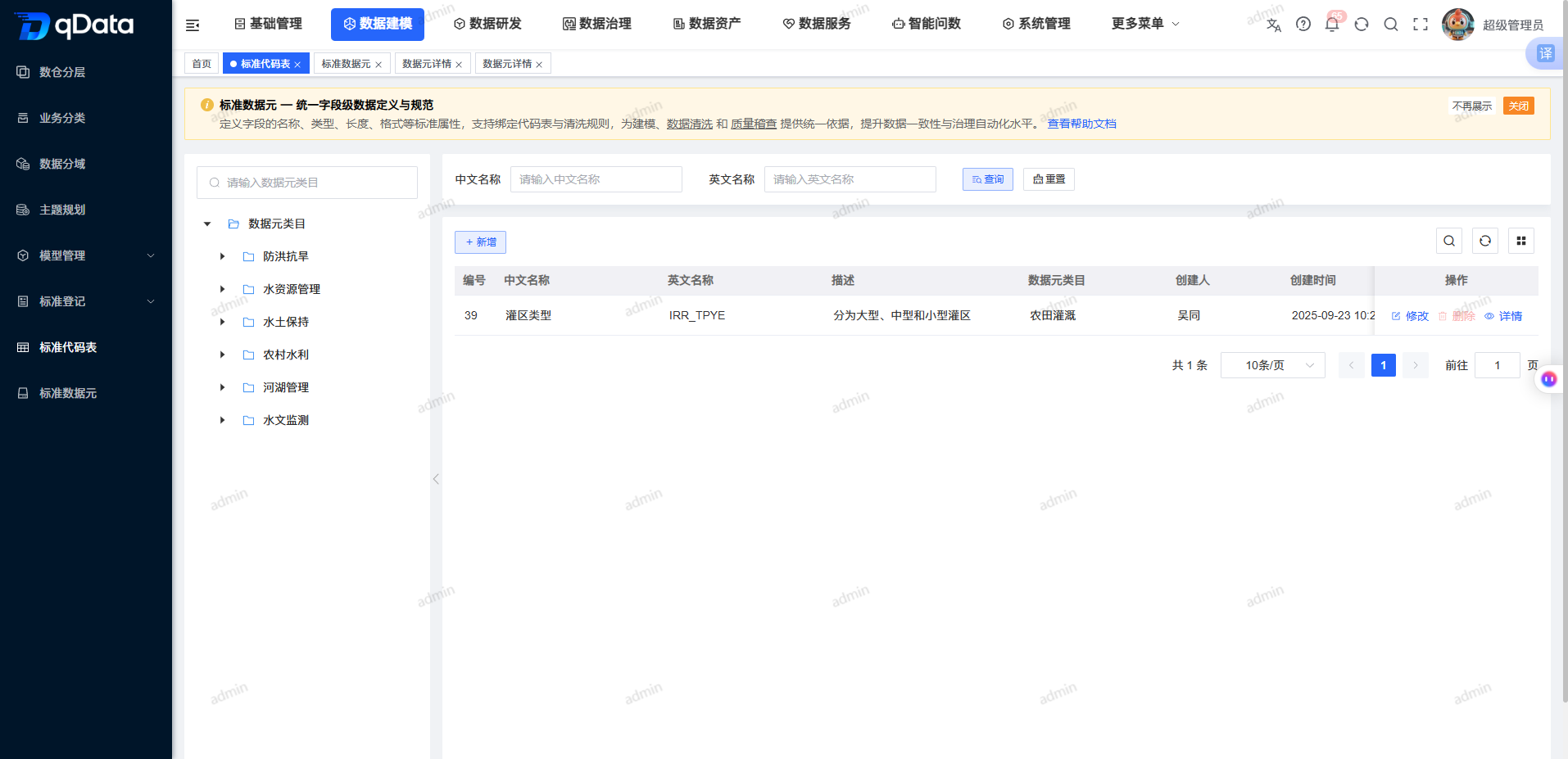
The left side of the page displays the standard data element category tree. The right side provides Chinese name, English name, and type filters, plus Add, Import, the list, status switches, and row actions. The type in the list distinguishes Data Element and Code Table.
Recommended Workflow
Ordinary data element: Select a category -> add or modify a data element -> verify field type and name -> enter details -> associate cleaning or audit rules as needed -> view association results.
Code table: Select a category -> add or modify a code table -> enter details -> view code dictionary -> view code mapping -> verify details.
Operation Guide
Browse and Query Standard Data Elements
- Search or select a standard data element category in the category tree on the left.
- Enter a Chinese name or English name.
- Select a type.
- Click Query.
- View number, Chinese name, English name, description, category, type, and status.
- Click Reset to restore the default list.
Add or Modify Standard Data Elements
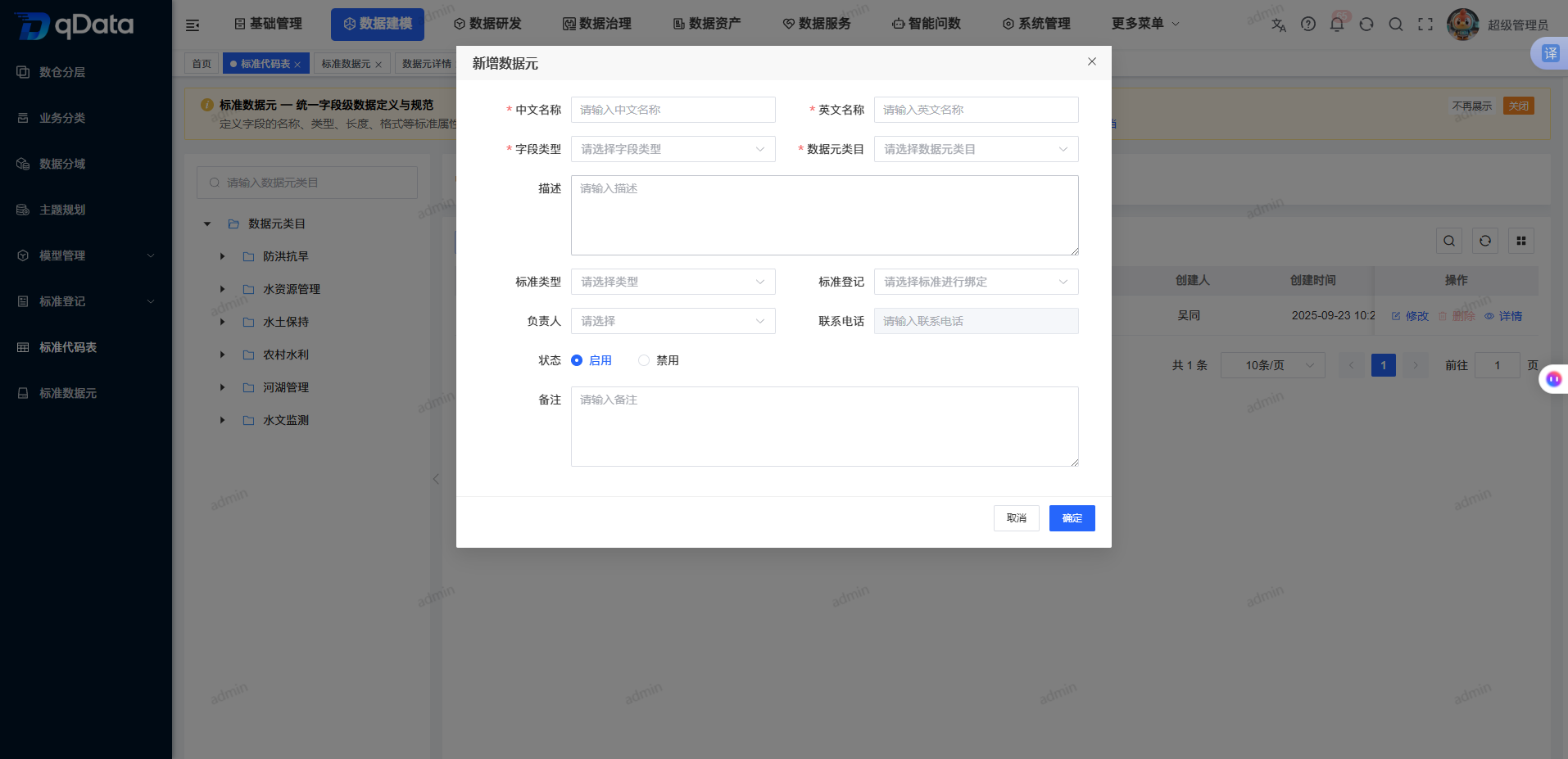
- Click Add, or click Modify in the target record row.
- Fill in or adjust the standard data element information.
| Field | Description | Required |
|---|---|---|
| Standard data element category | Select the business category of the data element. | Yes |
| Field type | Select the database storage type. | Yes |
| Chinese name | Enter the Chinese business name of the field. | Yes |
| English name | Enter the English name of the field. | Yes |
| Standard type | Select the type of associated standard as needed. | No |
| Standard registration | Select associated standard material as needed. | No |
| Owner | Select the data element owner as needed. | No |
| Contact phone | Displays the phone number of the selected owner. | No |
| Status | Select enabled or disabled. The form defaults to enabled. | No (system default) |
| Description | Enter the business definition of the field. | No |
| Remarks | Enter additional notes. | No |
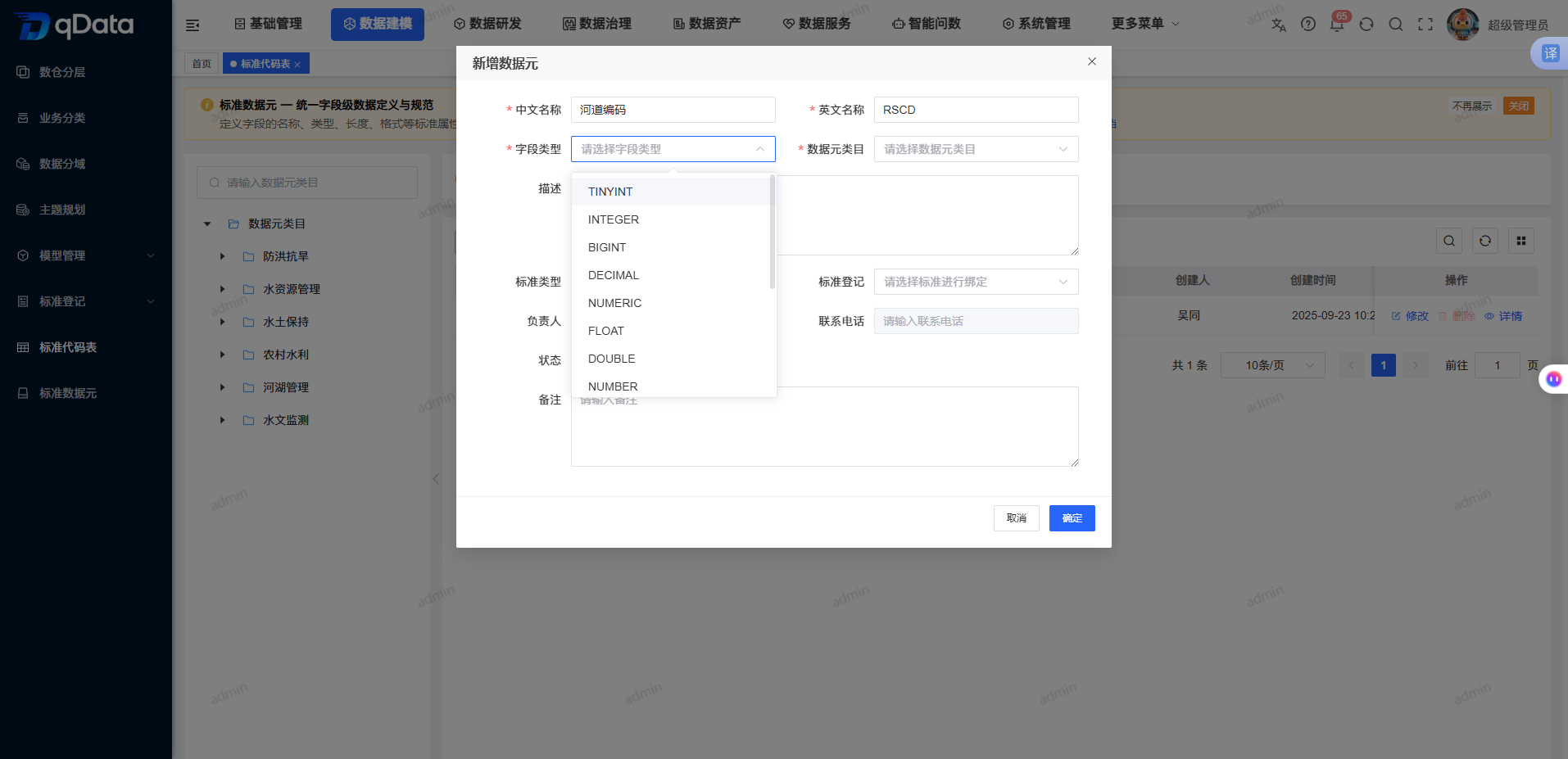
- Click the Field Type drop-down.
- Select the target database field type.
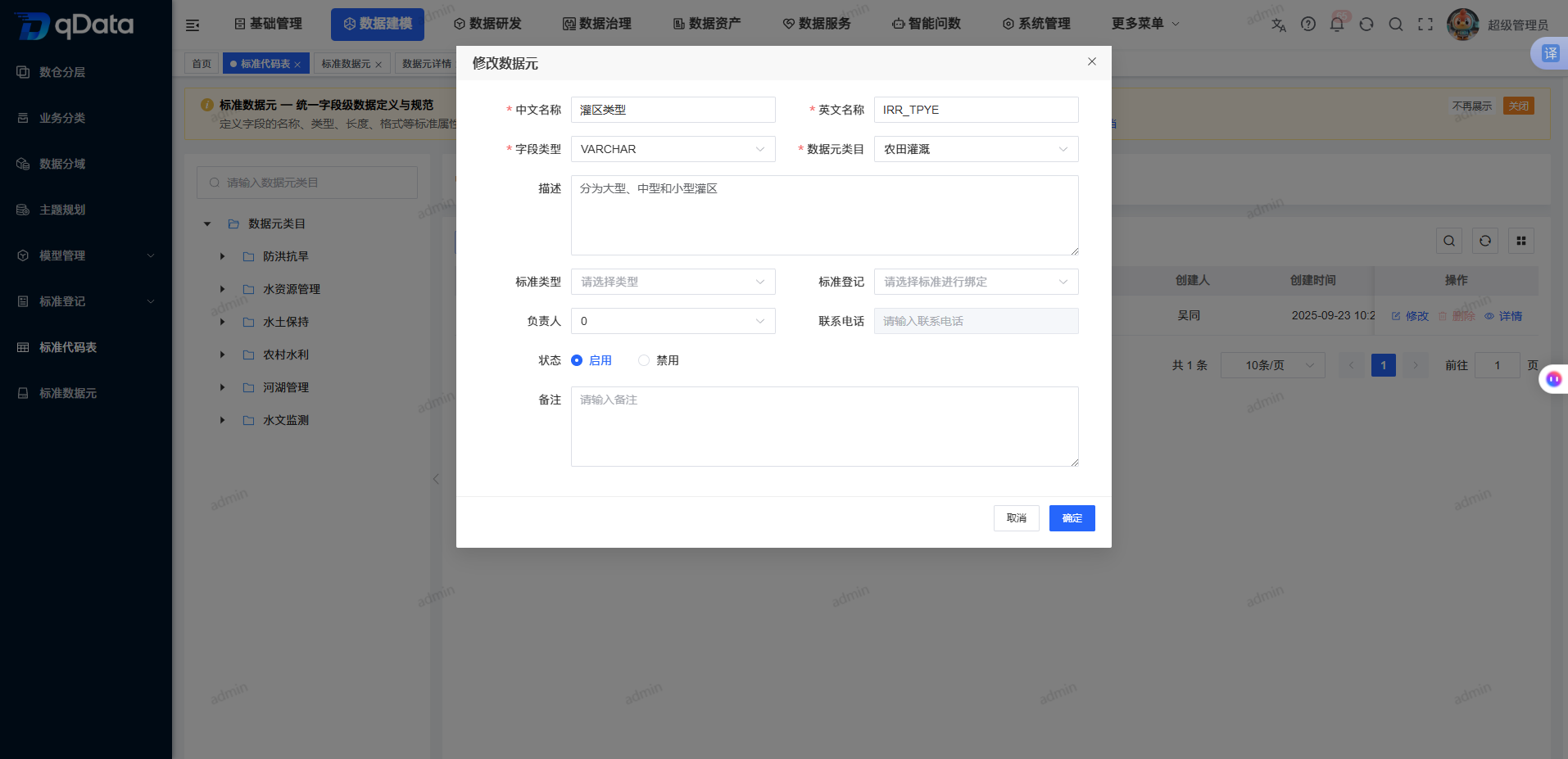
- Verify the category, field type, Chinese name, and English name.
- Click OK to submit, or click Cancel to close the form.
View Code Table Details and Code Dictionary
- Locate a record whose type is Code Table in the list.
- Click Details.
- View the top name, status, category, field type, type, and description.
- Click the Code Dictionary tab.
- View code value, code name, creator, and creation time.
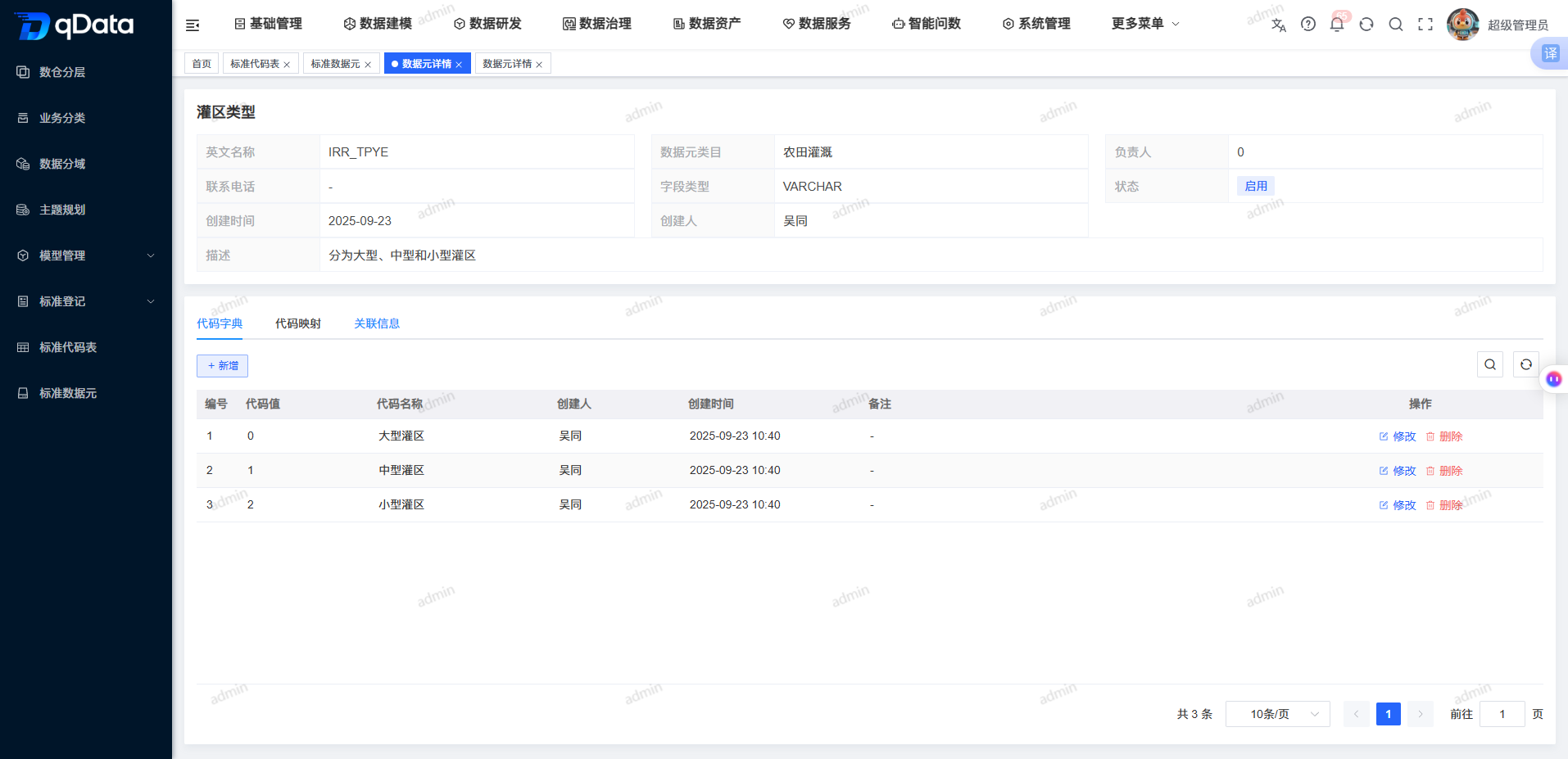
View Code Mapping
- Enter code table details.
- Click the Code Mapping tab.
- View original value, code name, code value, creator, and creation time.
- Use Add or row actions as needed.
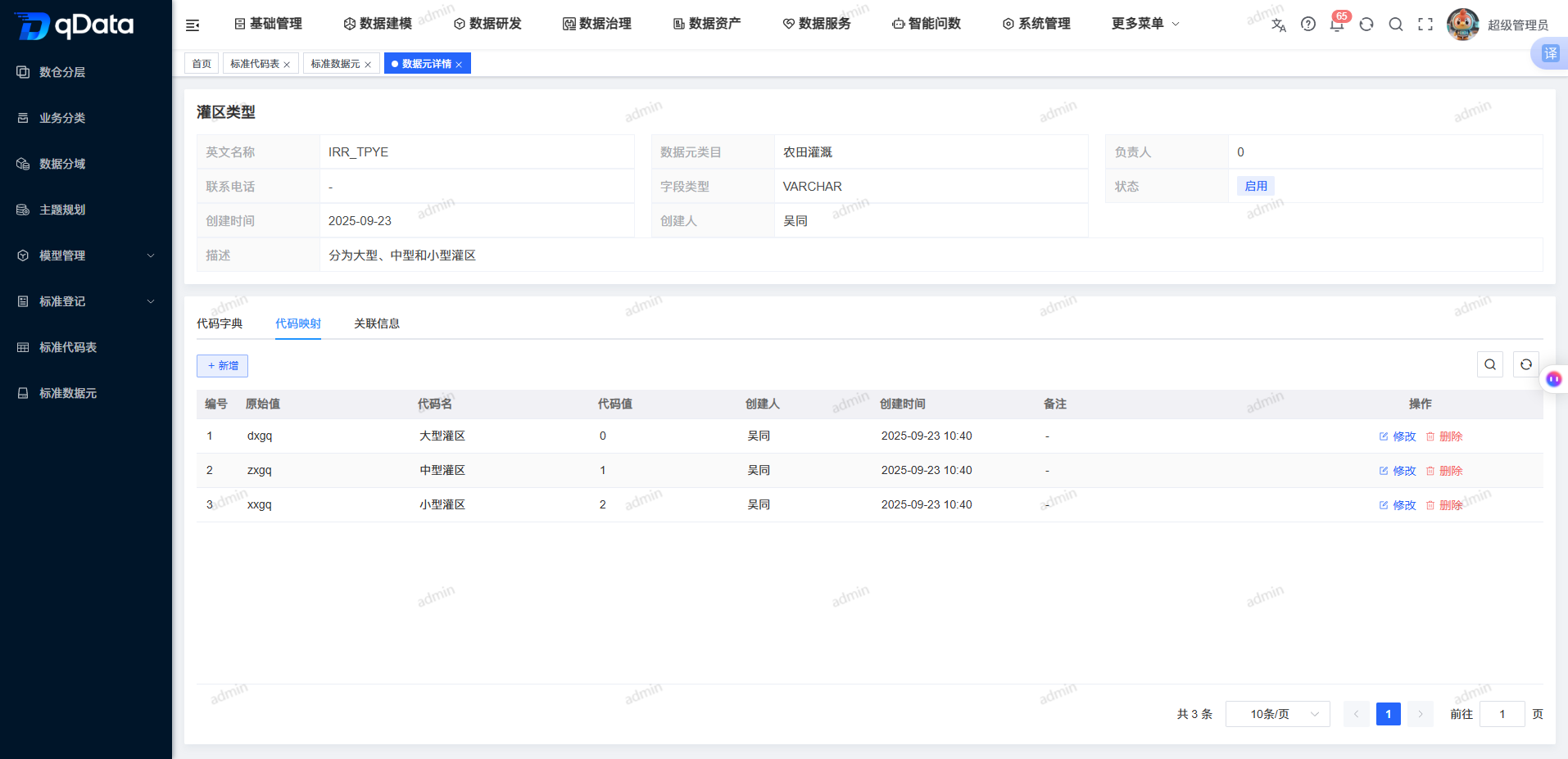
FAQ
What is the difference between a data element and a code table?
A data element is used to unify field definitions. A code table is used to maintain enumerated fields with standard code values, and provides code dictionary and code mapping tabs.What is the purpose of code mapping values?
Code mapping values map original values to code values, making data query and display easier.
Summary
Standard Code Table maintains code dictionaries, code mappings, and rule associations. During maintenance, focus on verifying field type, English name, code table type, code mapping, and cleaning rule parameters.