Finalization metadata
definition
Finalized metadata is used to display table-level metadata information that has been finalized or released. It is a stable version after confirming and solidifying the latest metadata. Users can view the confirmed data table structure, field information, version number, source system and business description through finalized metadata, making it easier to reference stable and credible metadata versions in scenarios such as data asset management, standard marking, lineage analysis and data service release.
Core competencies:
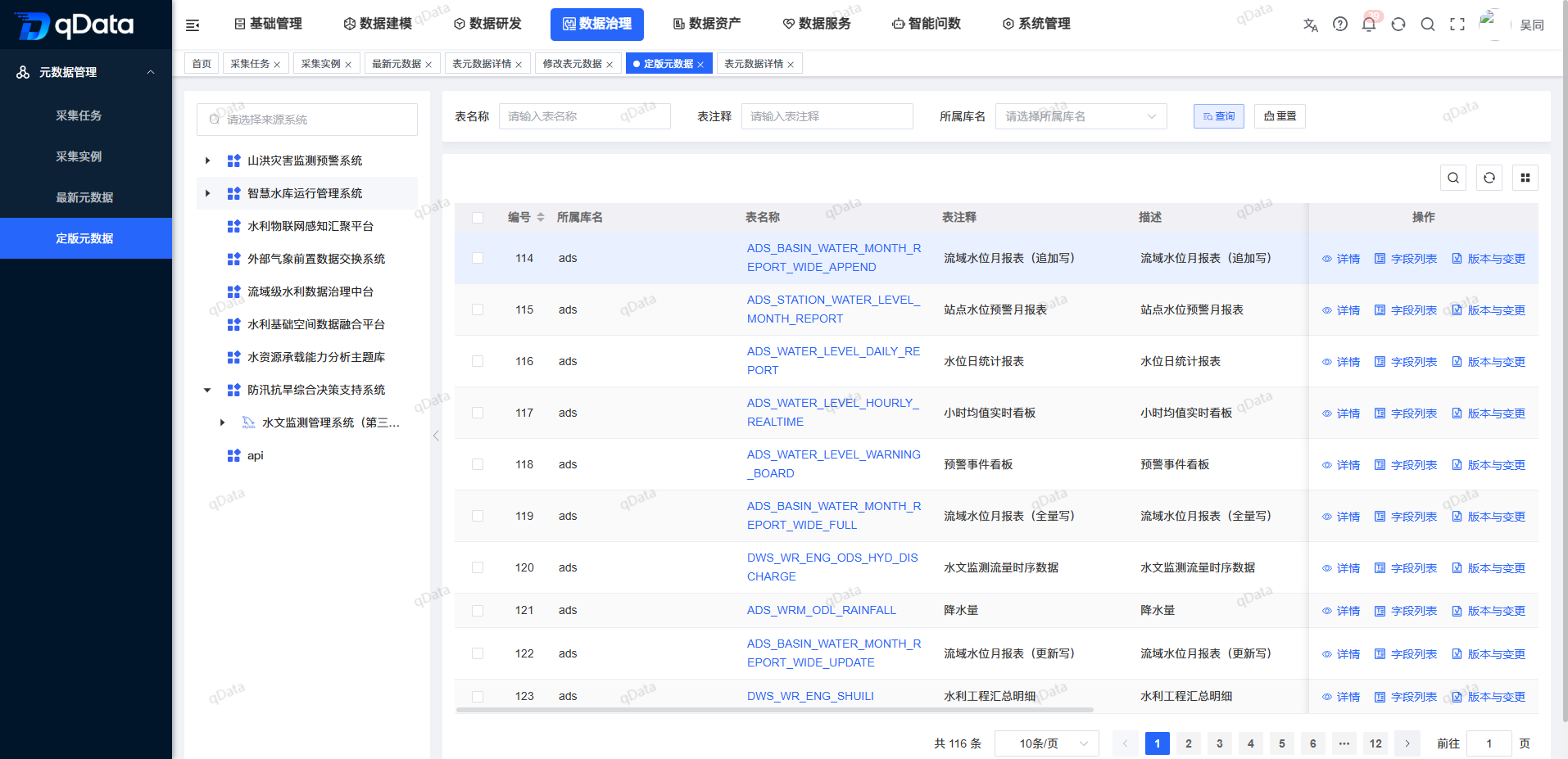
- ✅ Finalization query: Supports filtering finalization metadata based on source system, table name, table comments, library name, etc.;
- 📄 Finalization information display: display table-level attributes such as the library name, table name, table comments, description, etc.;
- 🔍 View details: Supports viewing basic information, technical information and business information of finalized metadata;
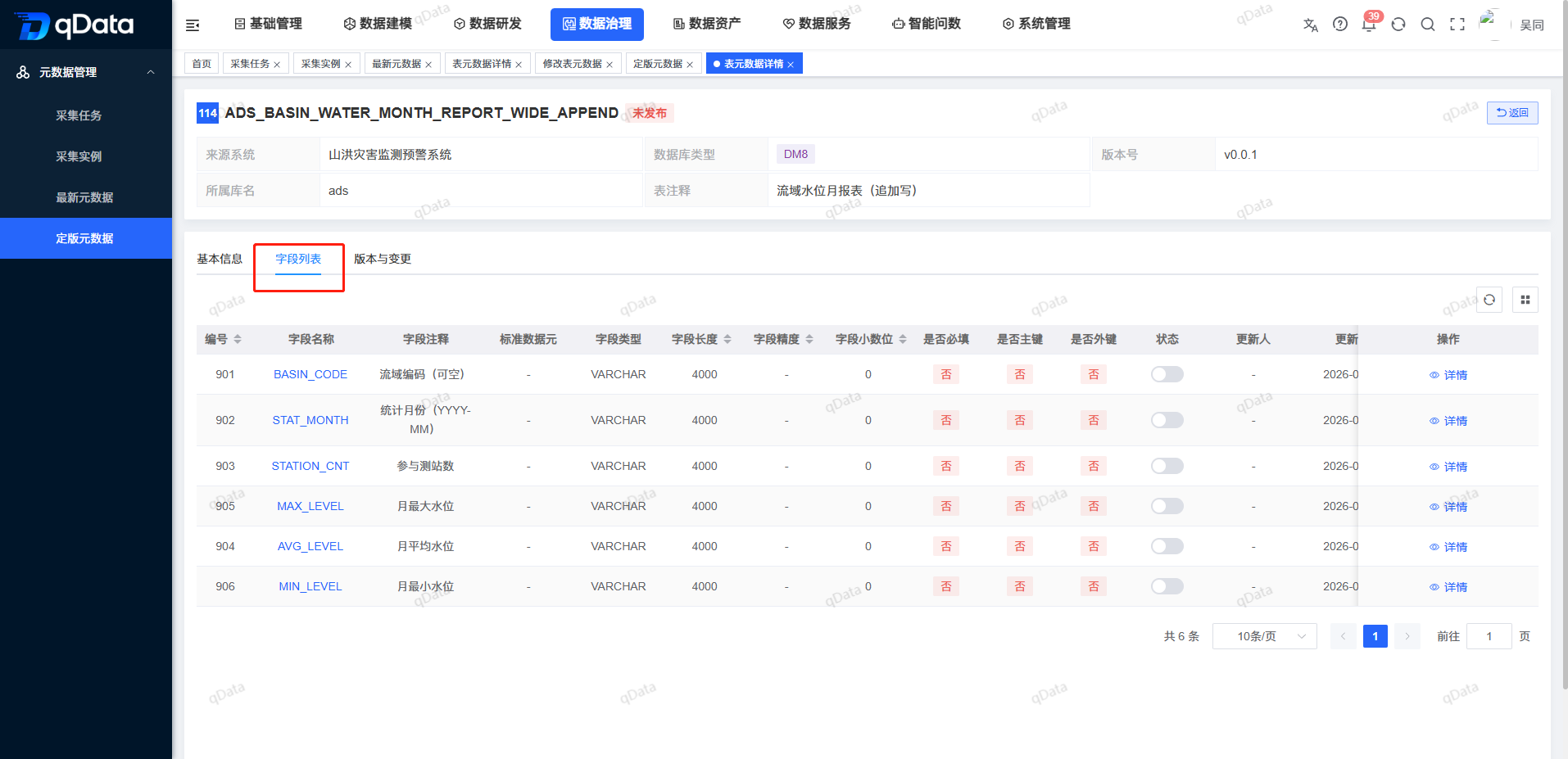
- 📋 Field list view: Supports viewing field names, field types, field comments, whether it is a primary key, whether it is a foreign key, and other field details;
Things to note
Finalized metadata is usually used for external reference and governance process flow, and the version should be kept stable. When viewing or referencing the finalized metadata, you should pay attention to whether the release status and field structure meet the requirements of the current business scenario; if you need to adjust the table structure or business description, you should first complete the maintenance and confirmation in the latest metadata, and then proceed with the finalized transfer.
Scope > For data governance personnel, data administrators, data developers and business data leaders, used to view the finalized table-level metadata and field structure. It is suitable for scenarios such as data asset release, data catalog construction, data standard mapping, data service reference, table structure confirmation, and metadata version auditing.
1. Finalization metadata page
Click [Finalization Metadata] under [Data Governance]->[Metadata Management] to enter the finalization metadata page. The source system tree is displayed on the left side of the page, and the finalized metadata list is displayed on the right side, which usually includes fields such as number, library name, table name, table comment, description, and operation. Users can query the target finalization metadata through conditions such as table name, table comment, and library name.
2. View finalized metadata details
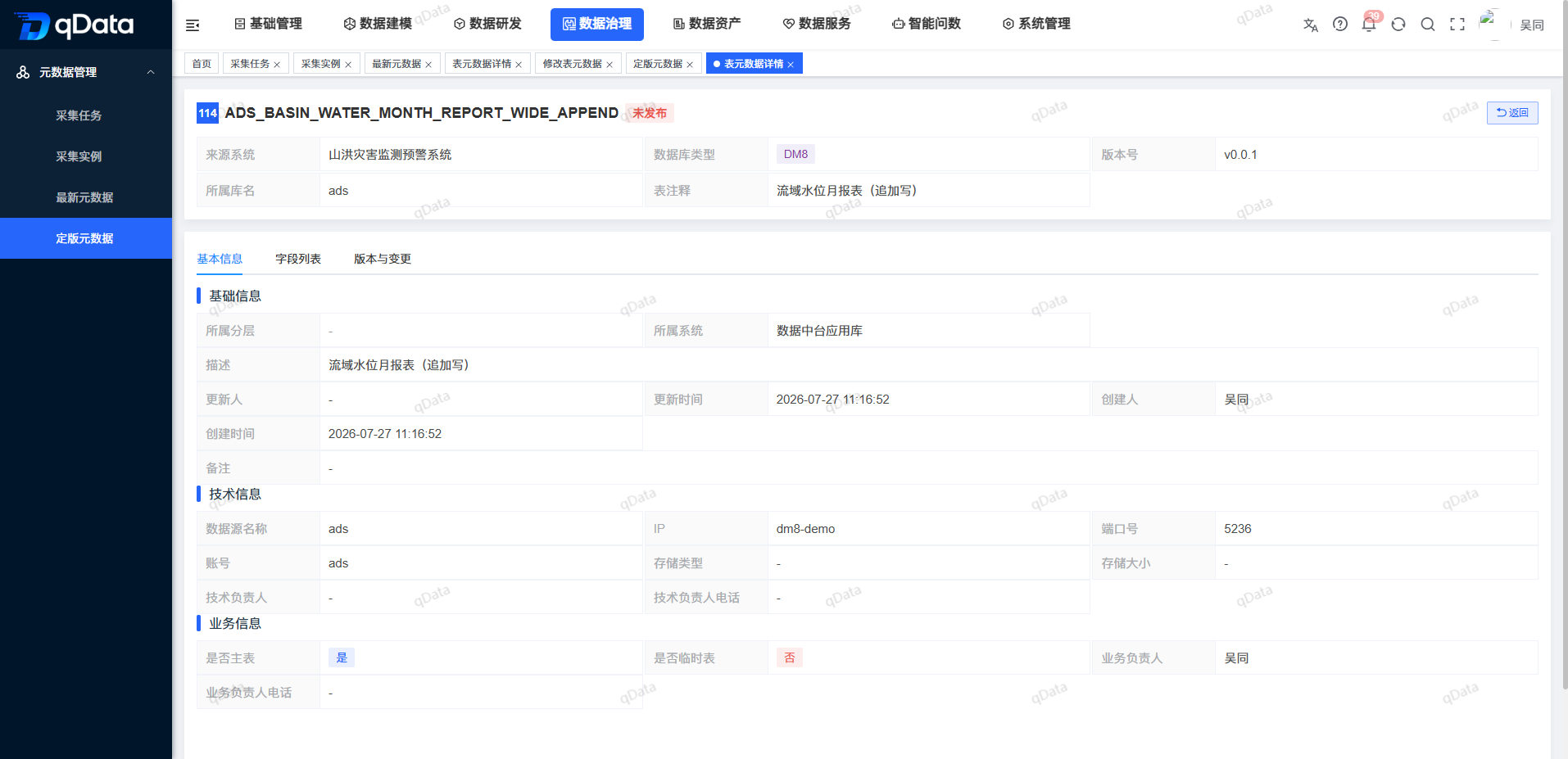
Select the finalization metadata record you want to view and click the [Details] button in the operation column to enter the table metadata details page. The top of the details page displays overview information such as table name, release status, source system, database type, version number, affiliated library name, and table comments.
In the [Basic Information] tab, you can view basic information such as the layer to which it belongs, the system to which it belongs, description, updater, update time, creator, creation time, remarks, etc. It also displays technical and business attributes such as data source name, IP, port number, account number, storage type, technical person in charge, business person in charge, whether it is a main table, whether it is a temporary table, etc.
3. View the field list
On the finalization metadata details page, switch to the [Field List] tab to view the field details of the current finalization table, including field names, field comments, standard data elements, field types, field lengths, field precision, field decimal places, whether it is required, whether it is a primary key, whether it is a foreign key, status, update time and other information. Field lists can be used to confirm that the table structure meets data development, asset publishing, and standards mapping requirements.