
Asset Review
Definition
This module is used to manage asset application processes initiated by projects from the global Data Assets. It is a key step for asset permission distribution and pre-use review.
📌 Module Features
- 📝 Project administrators can initiate asset usage applications from the global Data Assets list;
- 👀 Asset administrators can view all pending approval applications in the "Asset Review" module;
- ✅ After approval, assets are automatically added to the corresponding project's "Project Assets" list and can be used in Data Development tasks;
- 🚫 Asset applications that have not been approved cannot be used in projects, effectively implementing asset usage control and responsibility definition.
Notes
Asset approval should be evaluated based on data sensitivity level, usage purpose, and applicant permissions. We recommend configuring clear approvers and approval policies to ensure Data Assets are controllable and traceable.
Scope
Applicable to Data Assets usage approval scenarios across projects or organizations in the platform. Asset administrators perform authorization control to ensure that Data Assets are referenced legally and compliantly in projects.
1. Asset Review Page
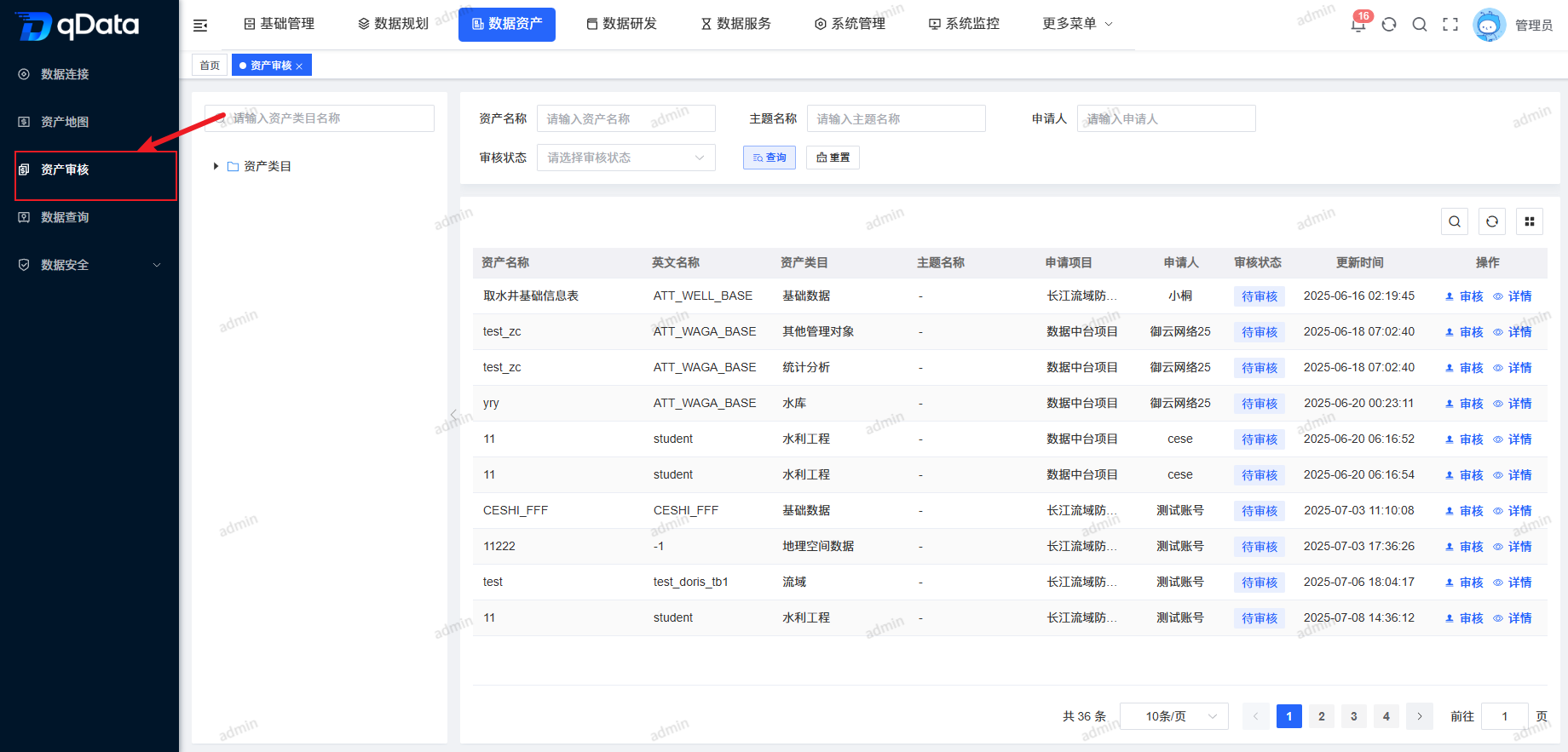
Click Data Assets under Asset Review to open the Asset Review page. The page uses a left-right layout: the left side displays Asset Review categories in a tree structure, and the right side displays the Asset Review information list, including asset name, English name, asset category, topic name, application project, applicant, review status, update time, and other fields.
2. Review Asset
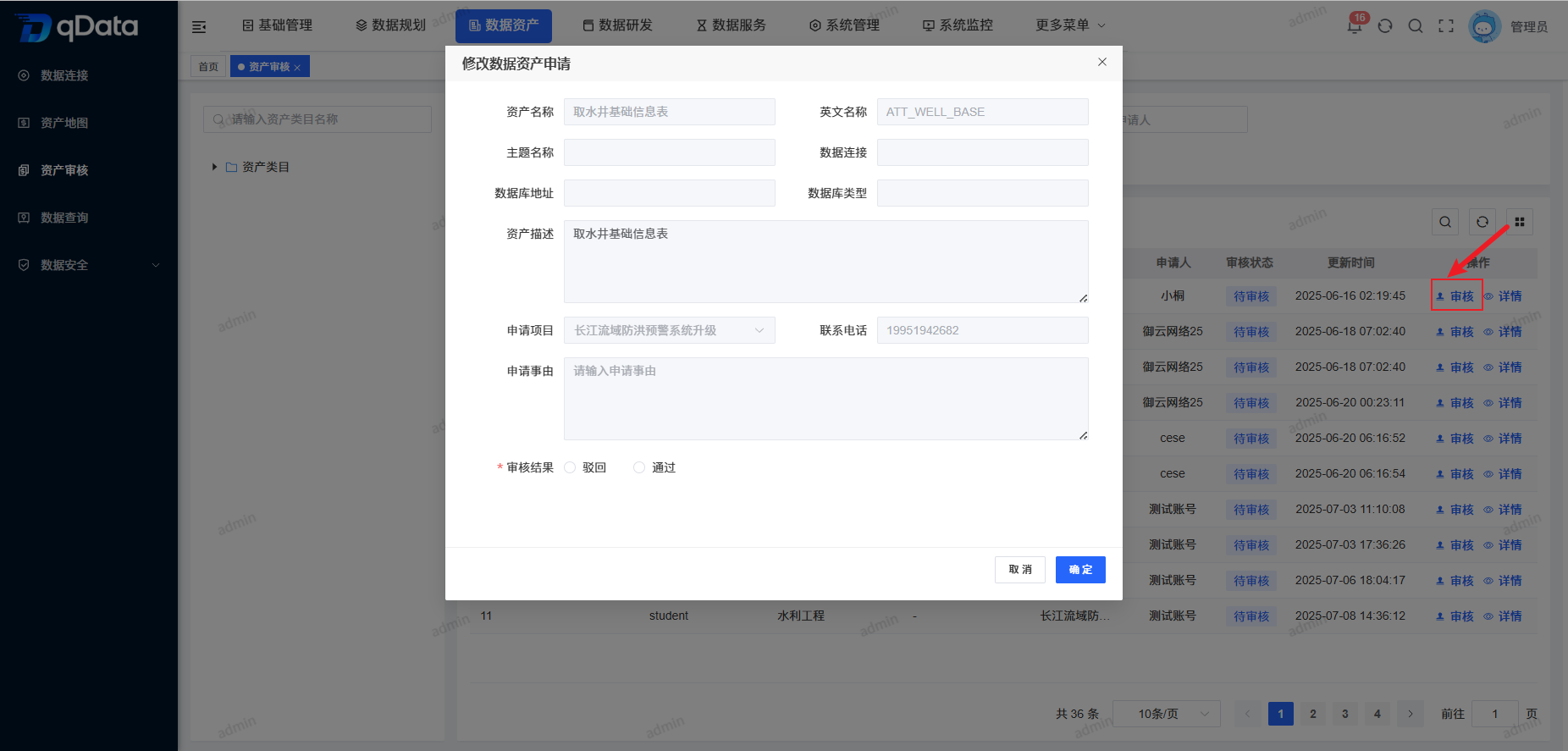
Select the Data Assets application that needs review, click the Review button in the operation column, fill in the review result in the dialog, and click OK to complete the Data Assets application review.
3. Asset Review Details
Select the Data Assets application whose details need to be viewed, click Details in the operation column, and view the Data Assets application information on the details page.