Logical model category
definition > This module is used to maintain the category system of the platform logic model module, support tree structure display, and help users classify and manage rules, tasks, etc. according to business dimensions.
- 📁 Support adding, editing and deleting logical model categories;
- 🧭 Provide tree structure display and hierarchical relationship maintenance;
- 🔍 Logical model category information can be quickly retrieved by name;
Scope > Applicable for adding, modifying, deleting, enabling, disabling, and hierarchical maintenance of logical model categories.
1. Logical model category page
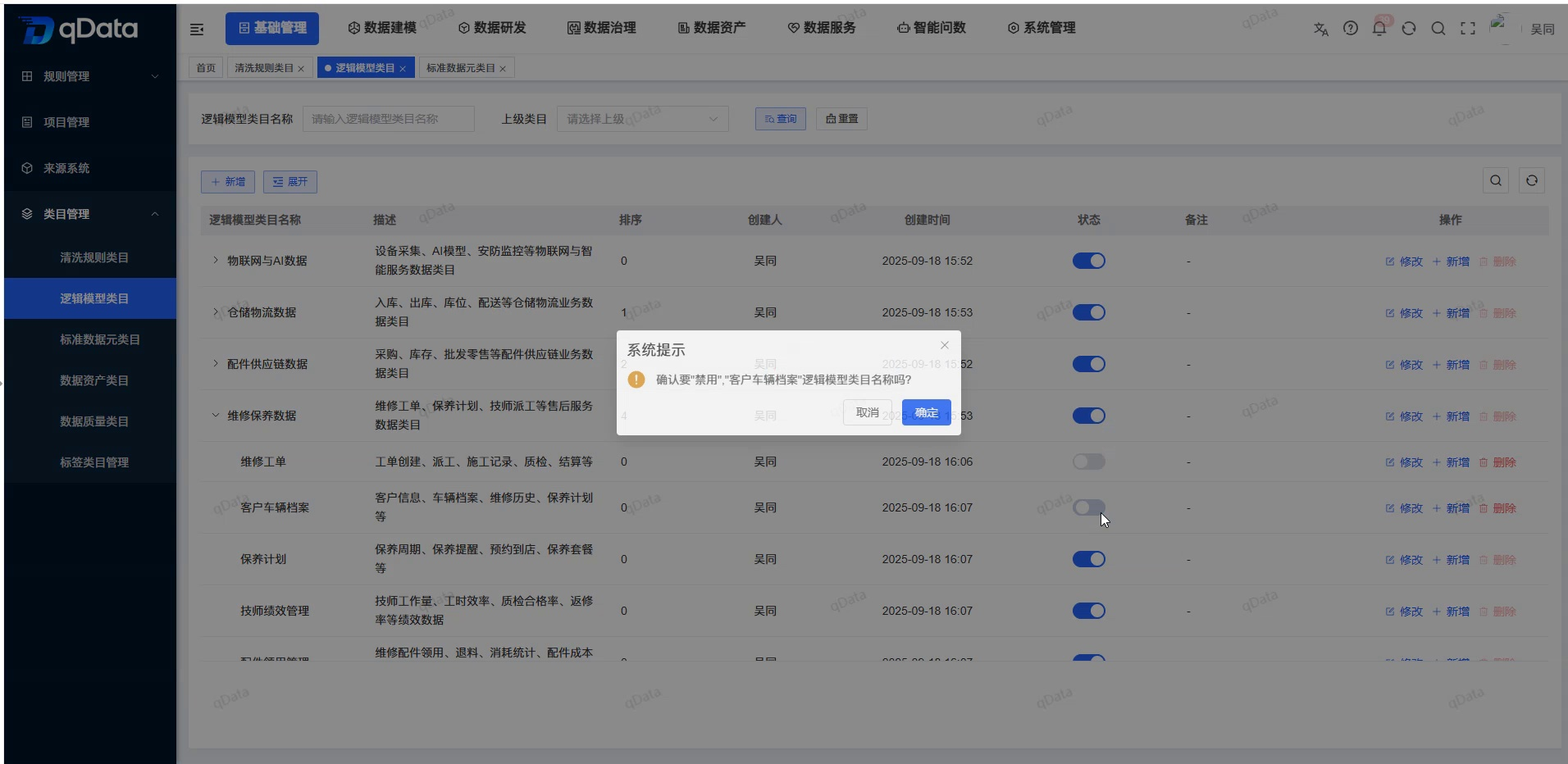
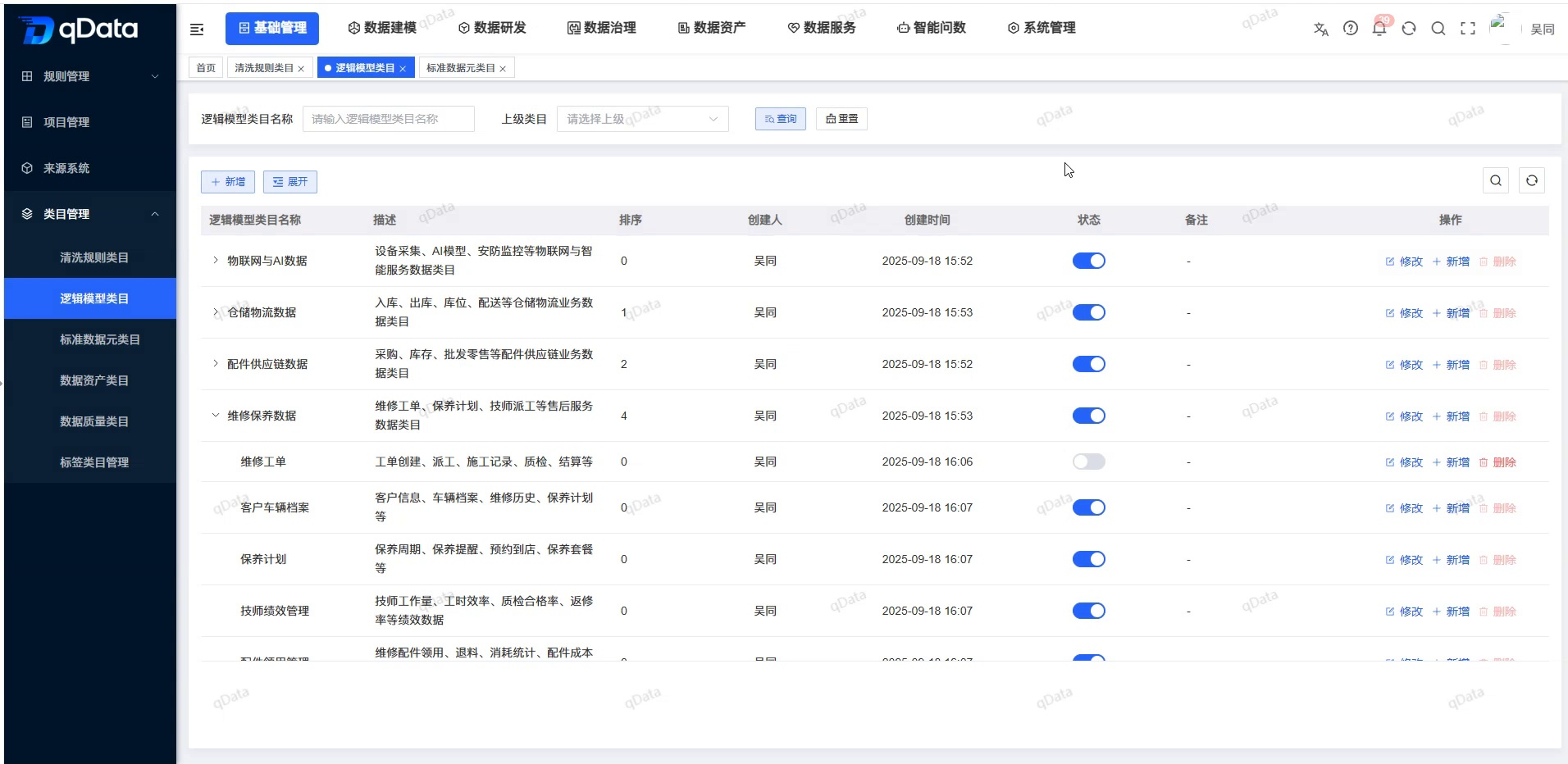
Click [Logical Model Category->] under [Basic Management] [Category Management] to enter the logical model category page. This page shows a list of tree structures that contain fields such as logical model category names, descriptions, statuses, and notes.
2. Add new logical model category information
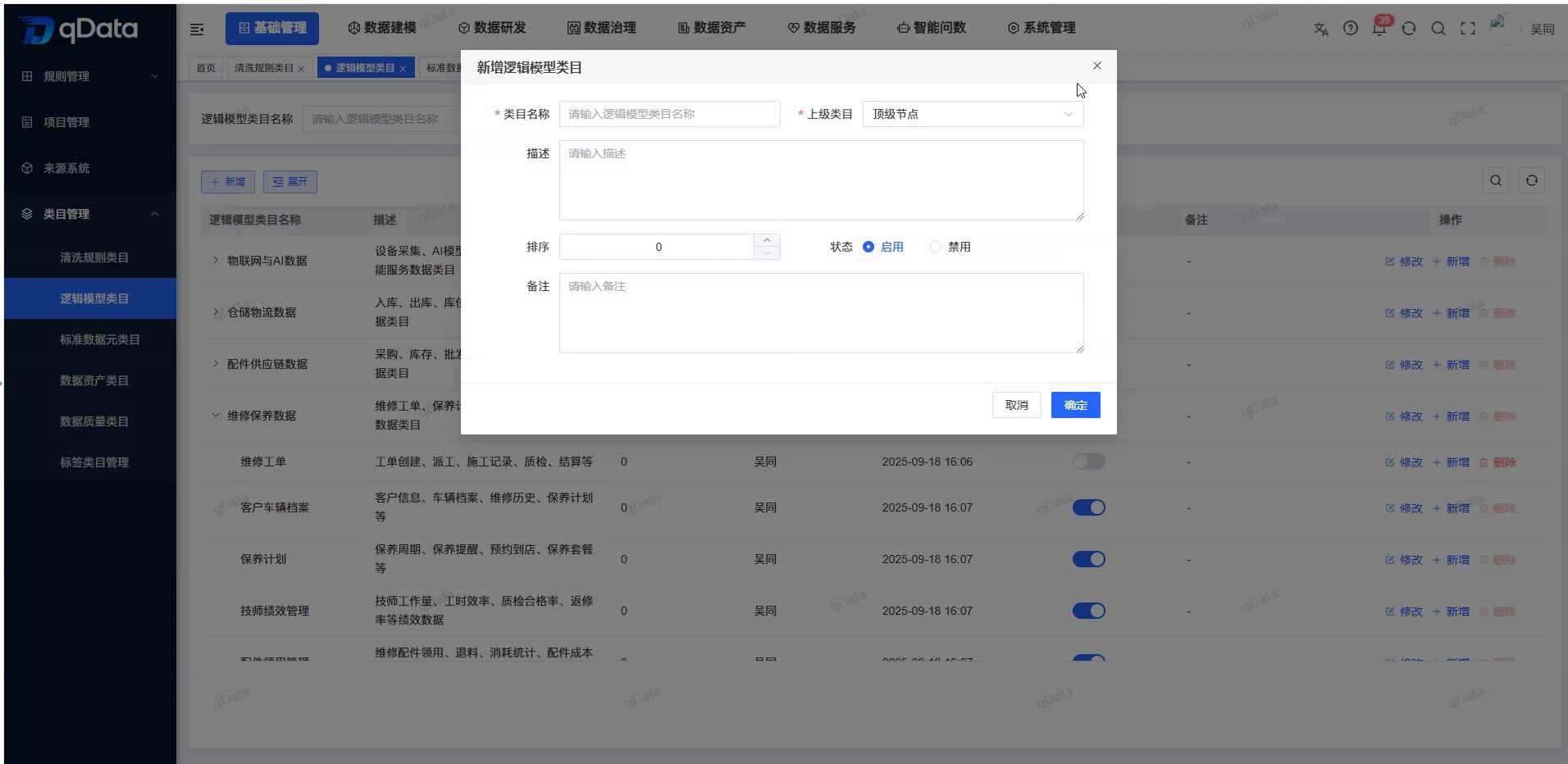
Click the [New] button on the page, fill in the logical model category information in the pop-up box that appears, and click the [OK] button to complete the addition of the logical model category information.
3. Modify logical model category information
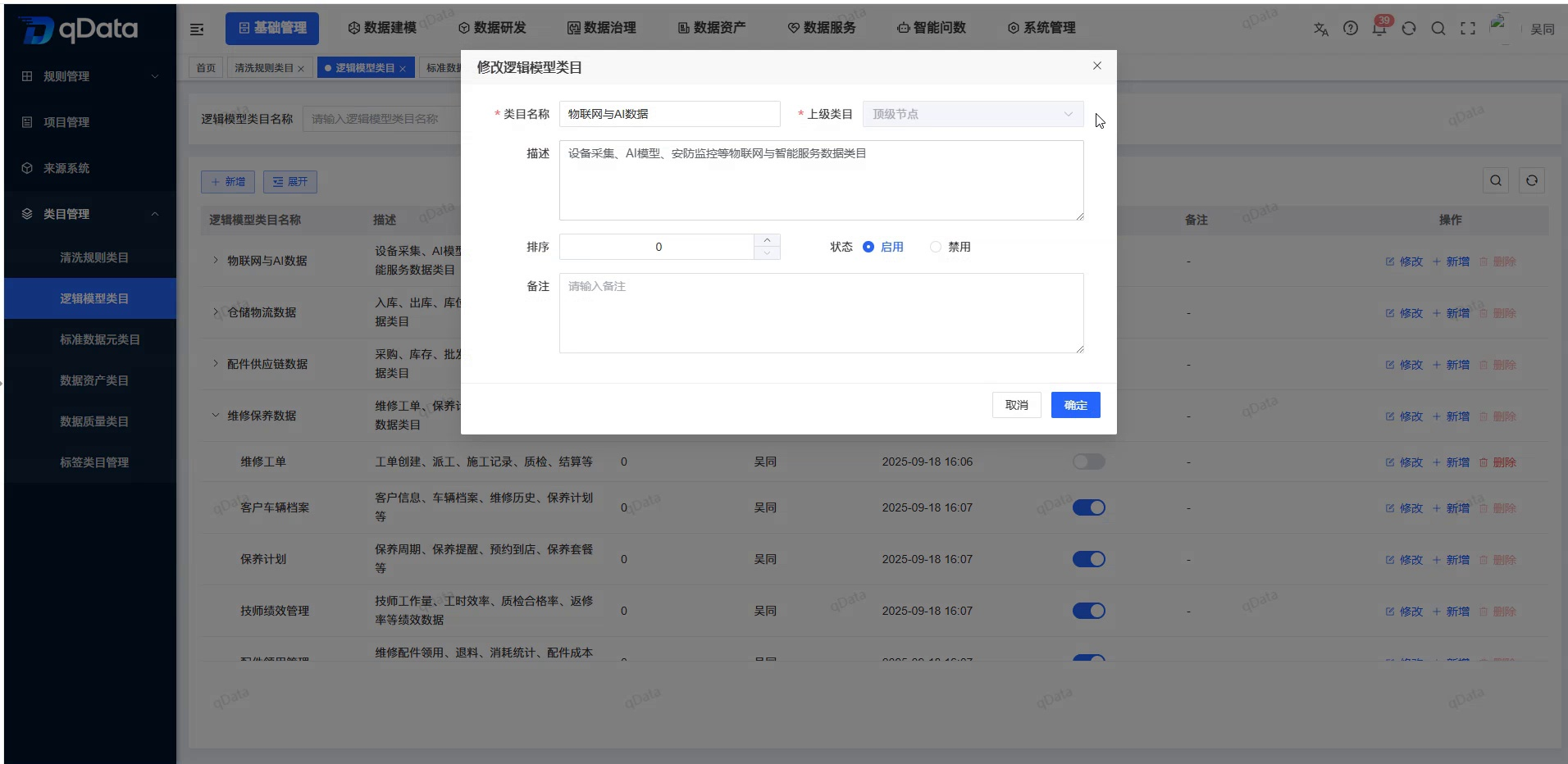
Select the logical model category information to be modified, click the [Modify] button in the operation column, modify the existing logical model category information in the pop-up box that appears, and click the [OK] button to complete the modification of the logical model category information.
4. Delete logical model category information
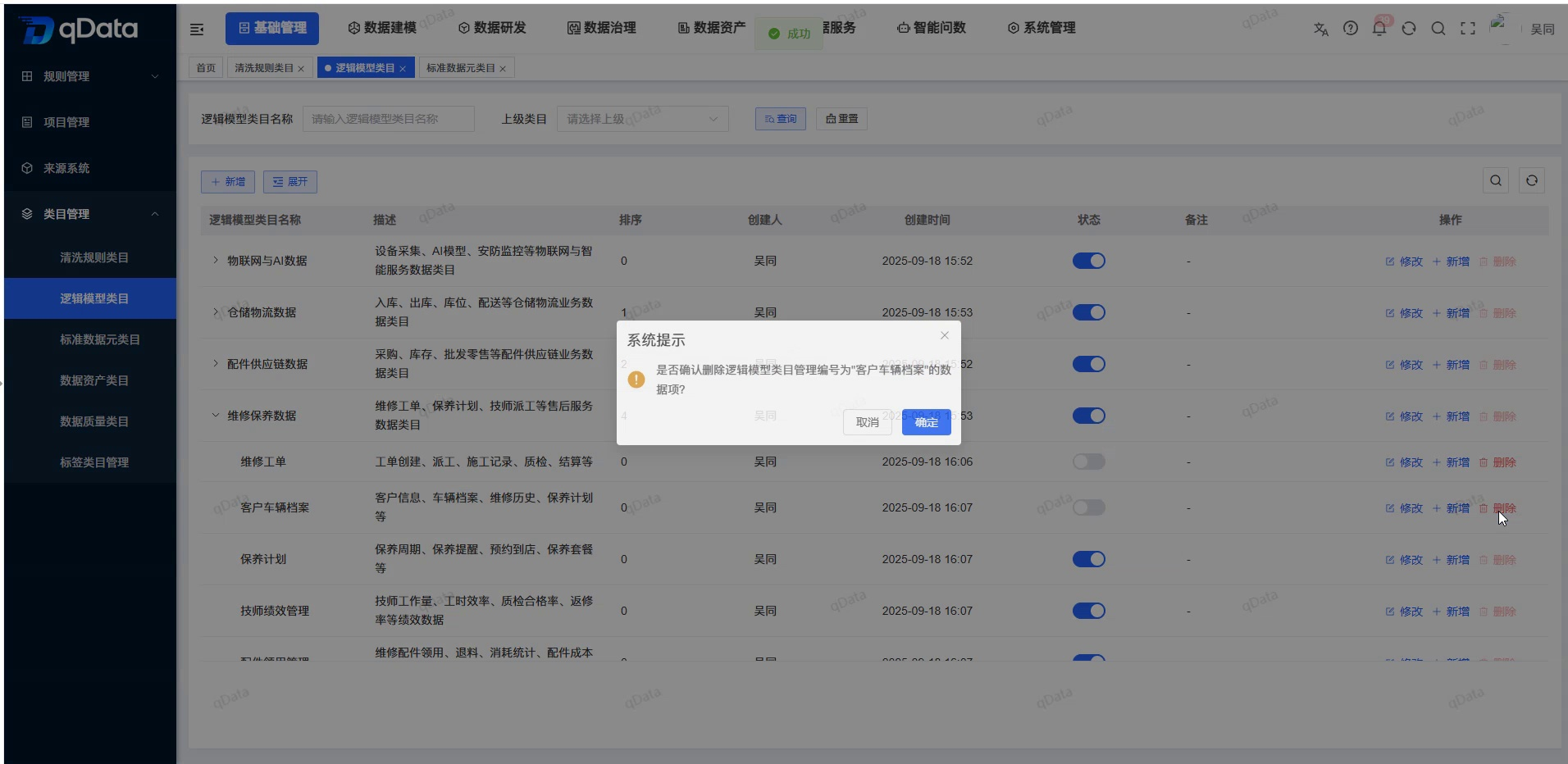
Select the logical model category information to be deleted, click the [Delete] button in the operation column, and click the [OK] button, the system will delete the logical model category information.
5. Add new sub-logical model categories to automatically fill in the upper level
Select the target parent logical model category and click the [New] button in its action column. In the pop-up new window, the Parent Category field will automatically echo the current logical model category. After filling in the additional information, click [OK] to add the sub-logical model category to it.
6. Expand/fold
Click the [Expand/Collapse] button to toggle the expanded and collapsed state of the tree list.
7. Enable/disable
Select the logical model category that you want to enable/disable, and click the [Switch] button in the status column to complete the enable/disable operation.